
Anthropic released Claude Sonnet 5.5 on September 28, 2026, six days after Opus 5.5. It’s the mid-tier model in the Claude 5.5 family, and for most people using Claude day to day, it’s the model doing the work.
The headline: same price as Sonnet 5, more than 30% faster, and scores close to Opus 5.5 on many tests. The fine print: Opus is still better at open-ended judgment, and one setting can make Sonnet more expensive than Opus.
We went through Anthropic’s numbers, the independent tests, and the developer complaints to work out who should use it and how.
Quick verdict: 4 / 5
- What it is: Anthropic’s mid-priced model, available in the Claude app on Free and paid plans, and through the API.
- API price: $2 per million input tokens and $10 per million output, half of Opus 5.5.
- Best at: well-defined everyday work like drafting, fixing bugs, editing documents, and coding tasks with a clear goal.
- Weak spots: less careful than Opus on open-ended problems, and expensive at the highest effort setting.
- Our advice: make it your default for routine work at Low or Medium effort, and switch to Opus for hard, judgment-heavy tasks.
What’s New in Claude Sonnet 5.5?
Anthropic pitches Opus 5.5 at complex work where judgment matters, and Sonnet 5.5 at clearly defined daily tasks: fixing bugs and producing documents, slides and spreadsheets. The biggest changes from Sonnet 5:
- Faster: output is more than 30% faster than Sonnet 5, according to Anthropic.
- Fewer tokens for the same job: this is the real upgrade. In one finance firm’s test of 2,441 tasks, Sonnet 5.5 used about 121,000 tokens per answer where Sonnet 5 used 497,000.
- Finishes what it starts: reviewers noticed it follows through on multi-step tasks and checks its own work more often.
- Much better at agent and computer tasks: the biggest jumps are in coding agents and using a computer through screenshots.
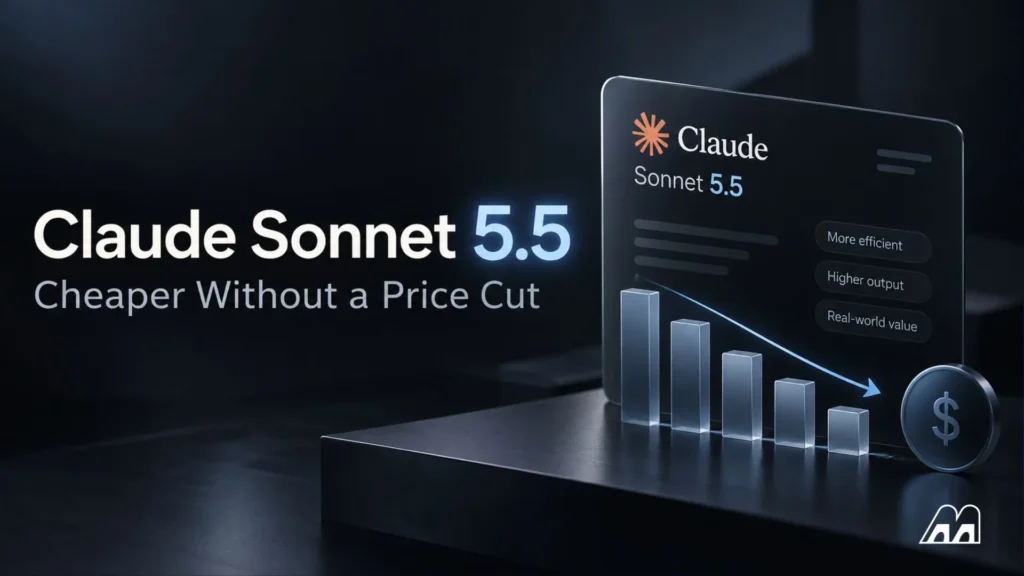
- Same price: Anthropic kept Sonnet 5’s price. Because it uses fewer tokens, Anthropic says tasks cost up to 30% less.
Specs at a glance
| Claude Sonnet 5.5 | |
|---|---|
| Released | September 28, 2026 |
| Context window | 1 million tokens |
| Max output | 128,000 tokens |
| Inputs | Text and images |
| Where to use it | Claude app (web, iPhone, Android), Claude API, Amazon Bedrock, Google Cloud, Microsoft Foundry |
| API model name | claude-sonnet-5-5 |
Sonnet 5.5 pricing
In the Claude app: Sonnet 5.5 is available to everyone on Claude.ai, including the free plan. Paid plans give you more usage. Our Is Claude Pro worth it? review covers whether upgrading makes sense.
On the API (for builders):
| Per million tokens | Sonnet 5.5 | Opus 5.5 |
|---|---|---|
| Input | $2 | $4 |
| Output | $10 | $20 |
| Cache read | $0.20 | $0.20 |
| Batch (input / output) | $1 / $5 | $2 / $10 |
From Anthropic’s pricing, as reported at launch. Batch processing gives 50% off, and prompt caching can cut costs further.
One complaint from developers: cache reads cost the same $0.20 as Opus, so the savings shrink for apps that rely heavily on caching.
How Well Does It Perform?
Anthropic’s launch numbers
These are Anthropic’s own results, so treat them as the best case.
| Test | What it measures | Sonnet 5.5 | Sonnet 5 | Opus 5.5 | GPT-6 Sol |
|---|---|---|---|---|---|
| Terminal-Bench 4.0 | Multi-step work in a command line | 70.6% | 10.3% | 66.4% | — |
| FrontierCode 1.1 | Hard coding problems | 52.1% | 42.4% | 54.4% | 49.3% |
| CursorBench 4.0 | Coding inside the Cursor editor | 55.5% | 34.1% | 57.8% | — |
| GDPval-AA | Real-world office and knowledge work | 1844 | 1449 | 1846 | 1487 |
| Humanity’s Last Exam (with tools) | Very hard expert questions | 64.5% | 54.9% | 67.7% | — |
Sources: Anthropic’s September 28 launch, as reported by Unite.AI and MyClaw. Higher is better.
In plain English: on Anthropic’s tests, Sonnet 5.5 is a huge jump over Sonnet 5, beats Opus on one coding test, and trails it by a few points on the rest.
What independent testers found
Outside tests are more mixed, which is normal.
| Tester | What they found |
|---|---|
| CodeRabbit (code review) | Caught 6 of 13 hard bugs vs 4 for Sonnet 5, in about half the time and about 60% cheaper per review |
| Thomas Wiegold (web design + chess engine) | Design taste close to Opus. Built a chess engine as correct as Opus’s for half the price, but filled its own tests with made-up numbers |
| Vals Index (via Kingy AI) | Statistically tied with Opus 5.5 (70.85% vs 70.18%) at about a third less cost |
| Artificial Analysis (via Kingy AI) | Opus scored higher (58 vs 54) for about the same cost per task, because Sonnet used more output tokens |
| MemU | Got 64% on Terminal-Bench 4.0, below the 70.6% Anthropic reported |
| GlobalGPT (business tasks) | Drafted customer emails, fixed a money-allocation function that passed 43 checks, and reconciled a 13,078-word invoice set correctly. One email included a small assumption that needed checking |
The pattern: Sonnet 5.5 is a big step up and often close to Opus, but not on every test, and not at every setting. Which brings us to the most important thing to know about it.
The effort setting matters more than the model
Sonnet 5.5 has effort levels that control how hard it thinks: Low, Medium, High, Xhigh and Max. The Claude apps default to Medium, and developers can set it in the API. More thinking means more tokens.
- At Low and Medium, Sonnet 5.5 is fast, cheap and close to Opus.
- At Max, it can cost more than Opus. On Artificial Analysis it cost $7.60 per task against $5.98 for Opus at Max, because it used far more tokens, according to eesel AI’s review. Anthropic’s own data also showed it scoring lower at Max than at Xhigh on one coding test.
Rule of thumb: keep Sonnet on Medium (the default in the Claude apps). If a task really needs maximum thinking, switch to Opus instead.
Strengths and Weaknesses
Where Sonnet 5.5 is strong
- Speed for everyday work. Faster answers with less waiting, which adds up over a full working day.
- Coding with a clear goal. Bug fixes, small features and code reviews. Developers on Hacker News and Reddit describe a common setup: Sonnet does most of the build, and Opus finishes the hardest part.
- Documents, slides and spreadsheets. This is one of the jobs Anthropic built it for.
- Customer support drafts. Zendesk tested it on hundreds of real support cases and reported fewer wrong decisions and tickets processed 20% faster.
- Long documents. With a 1-million-token context window, it can read very long files, transcripts or codebases in one go.
Where it falls short
- Open-ended judgment. Anthropic itself says Opus 5.5 remains clearly stronger on complex work that needs sustained judgment. Some developers found it did less checking for errors than Opus.
- The Max effort trap. At its highest setting it can cost more than Opus and sometimes does worse.
- It sometimes stops to ask. One developer found it more likely to pause and ask whether to keep going. That’s fine in a chat, but annoying in an automated workflow.
- It can make things up in tests. Thomas Wiegold found it filled its own test suite with invented numbers. Always check its work.
- Security work gets flagged. Higher-risk cybersecurity tasks fall back to Sonnet 5, and some people doing legitimate security work were flagged.
- Developer migration pain. Five API changes now return errors, so apps built on Sonnet 5 may need updates before switching.
What it means for freelancers and small businesses
| Your work | Use Sonnet 5.5? |
|---|---|
| Blog posts, emails, social captions | Yes, it’s fast and good enough for first drafts. See our best AI writing tools for bloggers |
| Client proposals and strategy | Draft with Sonnet, then review the thinking with Opus |
| Website fixes and small coding jobs | Yes. Compare coding setups in OpenCode vs Cursor vs Claude Code |
| Research summaries of long reports | Yes, the long context helps |
| Anything with legal or financial stakes | Use it to draft, never to decide |
Running Claude in agents or automations? Our guide on how not to waste your AI agent credits explains why the effort setting matters for your bill.
Sonnet 5.5 vs Opus 5.5 vs Haiku 5.5 vs GPT-6 Sol
| Haiku 5.5 | Sonnet 5.5 | Opus 5.5 | GPT-6 Sol | |
|---|---|---|---|---|
| Made by | Anthropic | Anthropic | Anthropic | OpenAI |
| Role | Fastest, cheapest | Everyday workhorse | Hardest, most careful work | OpenAI’s default paid model |
| API price (in / out per million tokens) | Lowest of the three Claude models | $2 / $10 | $4 / $20 | $2 / $10 |
| Long documents | Best on shorter prompts | 1M tokens at standard rates | 1M tokens | Higher rate above the standard context |
| Best for | High-volume simple tasks like tagging and sorting | Drafting, coding, documents, support | Strategy, complex research, hard bugs | People already working inside ChatGPT |
GPT-6 Sol pricing per Saidul Badhon’s comparison. Check each provider’s pricing page for current rates.
Sonnet vs Opus: for well-defined tasks, Sonnet gets you most of Opus’s quality at half the price. For anything open-ended, where you’d want a senior person to think it through, use Opus.
Sonnet vs GPT-6 Sol: same API price. On Anthropic’s FrontierCode test, Sonnet scored 52.1% against GPT-6 Sol’s 49.3%, but that’s Anthropic’s own chart. In practice, the better choice is usually whichever app you already work in. Our ChatGPT vs Claude comparison covers the wider picture.
Sonnet vs Gemini: Google’s new Gemini 4 Argon became generally available in October 2026. We haven’t seen fair head-to-head tests yet. For how the two ecosystems compare for everyday work, see Claude vs Gemini.
Who Should Use Claude Sonnet 5.5?
Use it if you:
- Already use Claude and want faster answers for routine work
- Write, edit or code with clear goals every day
- Build apps or automations and want near-Opus quality at a lower cost
- Process long documents, transcripts or reports
Pick Opus 5.5 instead if you:
- Work on open-ended strategy, research or complex problem solving
- Need the most careful error checking possible
Pick Haiku 5.5 instead if you:
- Run high volumes of simple, short tasks where cost matters most
Comparing coding tools specifically? See our best AI coding tools.
FAQ
When was Claude Sonnet 5.5 released? September 28, 2026, six days after Claude Opus 5.5.
Is Claude Sonnet 5.5 free? Yes, you can use it on the free Claude plan at claude.ai, with usage limits. Paid plans give you more usage.
How much does Claude Sonnet 5.5 cost on the API? $2 per million input tokens and $10 per million output tokens, the same as Sonnet 5 and half the price of Opus 5.5.
Is Sonnet 5.5 better than Sonnet 5? Clearly, on both Anthropic’s and independent tests. It’s faster, uses far fewer tokens, and scores much higher on coding and agent tasks.
Is Sonnet 5.5 as good as Opus 5.5? Close on many well-defined tasks, and ahead on one coding test. Opus is still stronger for open-ended work that needs careful judgment.
What effort level should I use? Medium for most work, which is the default in the Claude apps. Avoid Max, where it can cost more than Opus.
Is Sonnet 5.5 better than GPT-6? They cost the same on the API and trade wins depending on the task. Pick based on which app and tools you already use.
How big is the context window? 1 million tokens, enough for very long documents or large codebases.
Final Verdict: 4 / 5
Claude Sonnet 5.5 is a big, practical upgrade: faster than Sonnet 5, much better at coding and multi-step tasks, and the same price. For well-defined daily work, it gets close to Opus at half the cost.
It isn’t perfect. Opus is still better when the problem is fuzzy, independent tests don’t always match Anthropic’s numbers, and the Max setting can cost you more than Opus. Keep it on Medium, check its work, and switch to Opus for the hard stuff.
Thinking of paying for Claude? Read Is Claude Pro worth it? before upgrading.