


Quick verdict
Pipedrive is the best pure pipeline CRM for small sales teams (1 to 50 people) that want something salespeople will actually use. The visual pipeline is still the cleanest on the market, the entry price is low, and Nova plus MCP now give it real AI value at no extra cost.
The catch: the $14 plan has no automations and no email sync, so most teams end up on Growth ($39) or Premium ($59) per seat. And if you need marketing automation, a help desk or a free plan, HubSpot or Zoho will serve you better.
What is Pipedrive?
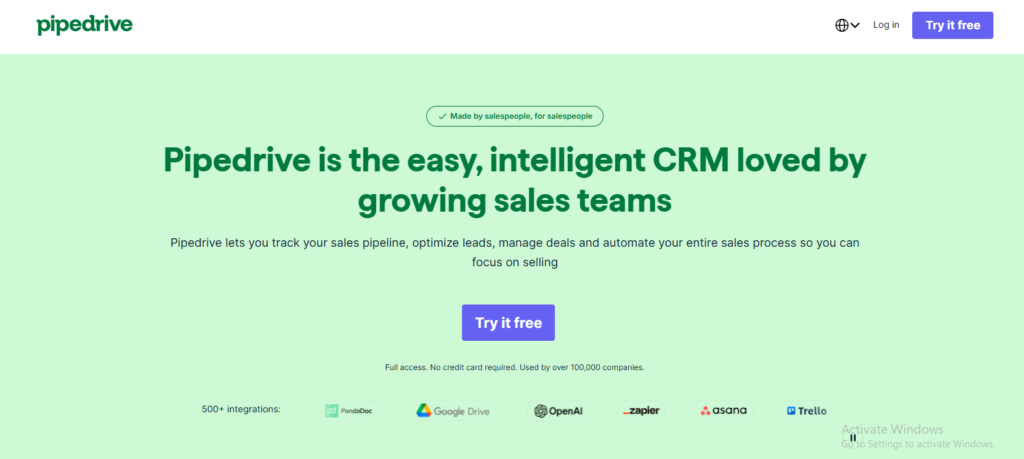
Pipedrive is a sales CRM built around one idea: your deals move left to right through stages, and you should always know what the next action on each deal is. Instead of starting with a contact database (like most CRMs), it starts with the pipeline board. You drag a deal from “Contact made” to “Proposal sent” and the CRM nudges you about what to do next.
That focus is both its biggest strength and its biggest limitation. It is fantastic at deal tracking. It is not trying to be your email marketing platform, your support desk or your project management tool, although add-ons cover some of that.
How we evaluated Pipedrive
We went through Pipedrive’s current pricing page and usage-limit documentation, its AI feature documentation, the official Nova and MCP launch announcements, and thousands of verified user reviews on G2 and Capterra. We then compared it plan by plan against HubSpot, Zoho CRM, monday CRM and Close, and calculated real annual costs for typical team sizes. All prices below are US list prices checked in November 2026 and exclude VAT.
Editor note: add your own screenshots from a Pipedrive trial here (pipeline view, Nova meeting brief, MCP inside Claude) to strengthen first-hand experience signals.
Pipedrive pricing 2026 (the new plan names)
In 2026 Pipedrive cut its lineup from five plans to four. Essential became Lite, Advanced became Growth, Professional and Power merged into Premium, and Enterprise became Ultimate. If a review still mentions “Essential” or “Professional”, it is out of date.
| Plan | Annual billing | Monthly billing* | Best for |
|---|---|---|---|
| Lite | $14/seat/mo | about $24/seat/mo | Solo sellers who just need a clean pipeline |
| Growth | $39/seat/mo | about $49/seat/mo | Most small teams (email sync and automations start here) |
| Premium | $59/seat/mo | about $79/seat/mo | Teams doing outbound and lead gen |
| Ultimate | $79/seat/mo | about $99/seat/mo | Larger orgs that need security rules and phone support |
*Pipedrive’s pricing page shows annual prices only and says annual billing saves “up to 42%”. Monthly figures are from third-party price trackers. Pipedrive also geo-prices, so confirm the number you see on the official Pipedrive pricing page.
What each plan includes
- Lite: pipeline, lead and calendar management, AI report creation, Nova meeting intelligence, 500+ integrations.
- Growth: everything in Lite plus full two-way email sync with open and click tracking, automated emails and sequences, workflow automations, meeting scheduler, forecast reports and live chat support.
- Premium: everything in Growth plus lead generation and routing, custom lead scoring, company data enrichment, AI multi-email outreach tools, contracts and e-signatures (Smart Docs), and Projects.
- Ultimate: everything in Premium plus account security rules and alerts, phone and email data enrichment, a sandbox account and extended phone support.
The plan limits nobody talks about
This is where most Pipedrive reviews fall short. The per-seat price is only half the story; the caps decide which plan you actually need.
| Limit | Lite | Growth | Premium | Ultimate |
|---|---|---|---|---|
| Leads + deals per seat | 2,500 | 5,000 | 15,000 | 20,000 |
| Active automations (per company) | None | 50 | 150 | 250 |
| Synced email accounts per user | None | 1 | 3 | 5 |
| Email sequences (per company) | None | 5 | 25 | 50 |
| Custom fields (per company) | 30 | 100 | 300 | 500 |
| Reports per user | 15 | 50 | 250 | 500 |
| Data enrichment credits | None | None | 100 | 500 |
Source: Pipedrive usage-limit documentation, as summarized by SaaS CRM Review (checked October 2026).
Our take: Lite is genuinely useful for one person tracking deals. The moment you want emails logged automatically or a single automation (“when a deal hits Won, create an onboarding task”), you need Growth.
Add-ons that raise the bill
Some features cost extra, especially on lower plans:
- LeadBooster (chatbot, web forms, Prospector lead database): paid on Lite and Growth, included on Premium and Ultimate.
- Smart Docs (proposals and e-signatures): paid on Lite and Growth, included on Premium and up.
- Projects: paid on Lite and Growth, included on Premium and up.
- Campaigns (email marketing): paid on every plan, priced by subscribed contacts.
- Web Visitors (see which companies visit your site): paid on every plan.
This is why Premium often works out cheaper than Growth plus two add-ons.
What Pipedrive really costs a team per year
| Team size | Lite | Growth | Premium | Ultimate |
|---|---|---|---|---|
| 1 user | $168 | $468 | $708 | $948 |
| 3 users | $504 | $1,404 | $2,124 | $2,844 |
| 5 users | $840 | $2,340 | $3,540 | $4,740 |
| 10 users | $1,680 | $4,680 | $7,080 | $9,480 |
Annual billing, before VAT and add-ons. A five person team on Growth with monthly billing pays about $2,940 a year instead of $2,340, so commit annually once the trial convinces you.
Pipedrive AI features in 2026
Since this is AI Tested Guide, this is the section that matters most to us. Pipedrive’s AI used to feel like a set of small helpers. In 2026 it became a real reason to choose the platform.
1. Pipedrive Nova (meeting intelligence)
Launched globally on September 16, 2026, Nova is a meeting assistant built straight into the CRM:
- Before a call: it builds a briefing from deal history, emails and past conversations already in Pipedrive.
- During the call: it records and transcribes, with consent notifications for participants.
- After the call: it writes a summary, lists follow-ups and suggests CRM updates like deal stage, value and expected close date. You review and approve before anything is saved.
The big deal: Nova is included on every plan, even Lite, at no extra cost. Standalone meeting assistants like Fathom, Fireflies or Otter charge their own subscription and then still need an integration to push data into your CRM. One early customer, Snug, reported saving 30 to 60 minutes per sales meeting.
2. Pipedrive MCP server (use your CRM from ChatGPT or Claude)
On June 30, 2026 Pipedrive launched an official MCP server. MCP (Model Context Protocol) is the open standard that lets AI assistants connect to outside tools. In plain English: you can now ask Claude or ChatGPT things like:
- “Which of my deals have had no activity in 14 days?”
- “Move the Acme deal to Proposal Sent and add a follow up task for Friday.”
- “Summarize every deal over $5,000 closing this month.”
It connects through a one-time OAuth sign-in, needs no coding, only sees what your Pipedrive user is allowed to see, and logs every action in Pipedrive’s change log. It is available on all plans. If you already pay for Claude Pro or ChatGPT Plus, this turns your AI assistant into a sales assistant. Just be careful to connect the official server and not one of the many community-built copies on GitHub.
3. AI Sales Assistant
The Sales Assistant analyses your deals and activity, suggests the next best action, and flags “better opportunities” you might be ignoring. You can also ask it questions about your data and have it summarize content or create notes. The more advanced recommendations sit on Premium and Ultimate.
4. AI email writer and email summaries
Type a short prompt, pick a tone (professional, friendly, standard) and a length, and Pipedrive drafts the email inside the composer. The summarizer condenses long threads into a few lines with suggested next steps. In Pipedrive’s own beta testing, sending an AI drafted email took a median of 44 seconds versus about 9 minutes written by hand. Useful, but the drafts are generic until you edit them; for serious writing you will still get better results from a dedicated assistant (see our best AI writing tools).
5. Smaller AI helpers
AI report creation (on every plan), an AI import assistant for migrating data, AI-powered Marketplace search and app recommendations, and AI suggested email replies in beta. Check the Pipedrive AI knowledge base article for which plan unlocks what.
AI verdict: Nova and MCP are the two features that move Pipedrive from “nice CRM” to “AI-ready CRM”. The Sales Assistant and email writer are solid but not ahead of HubSpot’s Breeze or Zoho’s Zia.
Core features we like
Visual pipeline
Still the best in class. Drag-and-drop deals, unlimited pipelines, and “rotting” deals that turn red when they sit idle too long. New salespeople understand it in minutes, which is why Capterra reviewers give it 4.5/5 for ease of use.
Activity-based selling
Every deal should have a next activity scheduled. Pipedrive highlights overdue ones and shows a live sales feed, so nothing slips through the cracks.
Workflow automation (Growth and up)
Trigger-based workflows with 40+ templates: create tasks when a deal moves stage, send emails, update fields, notify teammates. It is simpler than HubSpot or ActiveCampaign, which is good for beginners but limiting for complex logic.
Reporting and forecasting
Customizable dashboards, revenue forecasts and goal tracking. AI can build a report from a plain-language request, which saves time on setup.
Integrations and mobile apps
500+ Marketplace apps (Gmail, Outlook, Slack, Zoom, Zapier, QuickBooks and more), solid iOS and Android apps, and now MCP for AI assistants. If you are building automations between tools, our guide to AI productivity tools pairs well with this.
Pros and cons
Pros
- The easiest CRM for salespeople to adopt; very little training needed
- Clean, visual pipeline that shows exactly where every deal stands
- Nova meeting intelligence included on every plan at no extra cost
- Official MCP server lets ChatGPT and Claude work with live CRM data
- Low $14 entry price and a 14-day trial with no credit card
- Strong reporting and forecasting for the price
- 500+ integrations
Cons
- No free plan (HubSpot, Zoho and Freshsales all have one)
- Lite has no automations, no email sync and no sequences
- Useful extras (LeadBooster, Campaigns, Web Visitors) cost more
- Automation builder is basic; no behaviour-based triggers or testing
- Email marketing (Campaigns) is far behind dedicated tools
- Users report advanced reporting and filtering can feel limited, and support quality gets mixed reviews
What real users say
On G2, Pipedrive holds 4.3/5 from more than 5,000 reviews, and it ranked #6 on G2’s Best Sales Software Products 2026 list. On Capterra, it scores 4.5/5 from about 3,000 reviews, with 4.5 for ease of use, 4.4 for value and 4.4 for customer service.
The patterns are consistent. Reviewers love how quickly a team gets up and running and how visible the pipeline makes everything. The common complaints are limited advanced reporting and customization, filtering that takes extra steps, limited branding options, and costs that climb as you add seats and add-ons.
Pipedrive vs the competition
| CRM | Entry paid price | Free plan | Best for | Where it beats Pipedrive |
|---|---|---|---|---|
| Pipedrive | $14/seat/mo | No | Pure sales pipeline | — |
| HubSpot CRM | ~$15 to $20/seat/mo | Yes | Sales plus marketing in one place | Free tier, marketing automation |
| Zoho CRM | $14/user/mo | Yes (3 users) | Budget teams, Zoho users | Price, depth, Zia AI |
| monday CRM | $12/seat/mo (3-seat min) | No | Teams already on monday.com | Custom workflows, project tracking |
| Close | from ~$9 to $49/user/mo | No | High volume calling and SMS | Built-in dialer and SMS |
Pipedrive vs HubSpot: HubSpot wins if you want a free start or marketing automation under the same roof. Pipedrive wins on simplicity and on price once you move past HubSpot’s free tier, where costs jump quickly.
Pipedrive vs Zoho CRM: Zoho gives you more features per dollar and a free plan for up to 3 users, but the interface is busier and takes longer to set up. Pipedrive is the one your salespeople will actually open every day.
Pipedrive vs monday CRM: monday CRM makes sense if your team already manages projects there. As a dedicated sales tool, Pipedrive is more focused.
Who should use Pipedrive (and who should not)
Pipedrive is a great fit if you are:
- A small B2B team, agency or consultancy with a clear deal-based sales process
- A founder doing your own sales who wants structure without complexity
- A team that runs a lot of sales calls (Nova alone saves serious admin time)
- Someone who already uses ChatGPT or Claude daily and wants the CRM inside it via MCP
Look elsewhere if you:
- Need a free CRM: start with HubSpot or Zoho
- Want email marketing, landing pages and nurture in one tool: HubSpot or ActiveCampaign
- Run high-volume outbound calling: Close
- Need heavy enterprise customization: Salesforce
- Mainly need customer support ticketing rather than sales
Final verdict: is Pipedrive worth it in 2026?
Yes, for most small sales teams, Pipedrive is worth it, and 2026 made it a better buy. The pipeline is still the easiest to use on the market, Nova gives every plan a meeting assistant that would otherwise cost $10 to $20 per user, and the MCP server future-proofs it for teams that do more and more of their work inside AI assistants.
Just budget realistically. Treat Growth ($39/seat) as the true starting point for a team, and look at Premium ($59/seat) if you would otherwise pay for LeadBooster or Smart Docs separately. Use the 14-day trial to rebuild your actual pipeline, connect your inbox, and run two or three calls through Nova before you commit.
Score: 8.4/10
| Category | Score |
|---|---|
| Ease of use | 9.5/10 |
| Pipeline management | 9.5/10 |
| AI features | 8.5/10 |
| Automation | 7/10 |
| Value for money | 8/10 |
| Marketing features | 6/10 |
FAQ
Does Pipedrive have a free plan?
No. Pipedrive offers a 14-day free trial with no credit card required. If you need a free CRM, HubSpot and Zoho CRM both have free tiers.
How much does Pipedrive cost per month?
With annual billing, Lite is $14, Growth is $39, Premium is $59 and Ultimate is $79 per seat per month. Monthly billing costs more, roughly $24 to $99 per seat depending on the plan.
Is Pipedrive Nova free?
Yes. Nova is included in all Pipedrive plans at no additional cost, including Lite.
Can I use Pipedrive with ChatGPT or Claude?
Yes. Pipedrive’s official MCP server, launched in June 2026, connects to ChatGPT, Claude and other MCP-compatible assistants on every plan. Setup is a one-time secure sign-in with no coding.
Which Pipedrive plan is best?
For most small teams, Growth. It is the cheapest plan with email sync, automations and sequences. Choose Premium if you need lead generation, lead scoring or e-signatures.
Is Pipedrive good for beginners?
Yes. Ease of use is its strongest point, and it is one of the quickest CRMs to set up and train a team on.
What are the best Pipedrive alternatives?
HubSpot CRM (best free option), Zoho CRM (best value), monday CRM (best for teams already on monday.com) and Close (best for calling-heavy outbound teams).
Related reads on AI Tested Guide: