
Most AI assistants answer questions. Meta Muse is built to do the work: book the table, fill in the form, chase the refund, buy the tickets. Meta launched it on September 8, 2026, and in two months it has become one of the most talked-about AI agents of the year, for good and bad reasons.
We looked at what Muse can actually do, what the free and paid plans get you, where it’s available, and the privacy questions you should think about before handing it your email, calendar and cards.
Quick verdict: 3.5 / 5
- What it is: a personal AI agent from Meta that takes actions for you in its own cloud computer, from an app, the web or WhatsApp.
- Price: free with a weekly usage limit, then Power ($20/month) or Maximum ($100/month).
- Where: US, Canada, Japan and Singapore only, ages 18+.
- Best at: planning tasks and errands like bookings, forms, quotes and email follow-ups.
- Biggest worry: trust. It needs deep access to your accounts, and a September privacy dispute over iMessages hasn’t been fully settled.
- Should you use it? Yes for personal errands, starting read-only. Not yet for client email or business finances.
What Is Meta Muse?
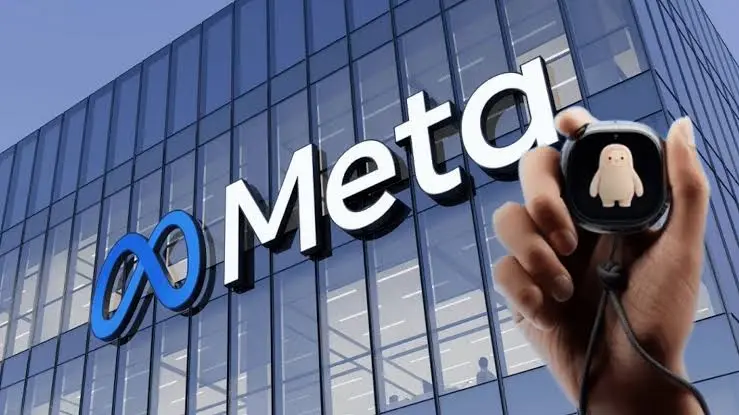
Muse is a personal AI agent built by Meta Superintelligence Labs. It runs on Meta’s own Muse Spark model. You chat with it like a text thread, give it a goal, and it makes a plan and keeps working on it, even after you close the app. It checks back when something changes or when it needs your approval.
The key difference from a chatbot: Muse has its own cloud computer with a browser (Meta calls it the Muse Secure VM). You can watch it open sites, fill in forms and click through checkouts.
It connects to everyday apps, including Gmail, Google Calendar, OpenTable, Facebook, Instagram, Peloton and Plaid for finances. When it’s time to pay, it checks out through Link by Stripe using a one-time card, so your real card number isn’t exposed.
The app has five tabs: the main chat, a feed of your interests, an Ideas tab with prompt examples, a list of goals it tracks for you, and your files and media. Reviewers liked this. It gives more guidance than a blank ChatGPT box.
Where you can use it
| Details | |
|---|---|
| Countries | United States (since Sept 8), Canada (Sept 18), Japan (Oct 23) and Singapore. No dates for the UK, EU, India, Pakistan or anywhere else |
| Age | 18+ |
| Apps | iPhone, Android, the web at muse.ai, and a Mac app |
| Chat with Muse directly inside WhatsApp (US and Canada) | |
| Coming next | Meta’s AI glasses, starting in November 2026 |
Meta Muse pricing
| Plan | Price | Weekly usage |
|---|---|---|
| Free | $0 | About 100 million tokens a week (figure from a Mark Zuckerberg post, not official docs) |
| Power | $20/month | 500 million tokens a week |
| Maximum | $100/month | 3 billion tokens a week |
Paid limits from Meta’s subscriptions help page, as reported in October 2026. Check muse.ai for current plans.
Meta says the free tier covers most of what people need, and the app shows a meter so you know how much you have left. Note that sign-up asks for a payment card, because you move to a paid plan as usage grows. There are no ads inside Muse, and Meta says your conversations aren’t shared with its ad systems.
Agents use far more tokens than chat. Our guide on how not to waste your AI agent credits applies directly here.
What Muse Can Actually Do: Real Tasks From Hands-On Tests
Here’s what reviewers asked Muse to do, and how it went.
| Task | Who tested it | Result |
|---|---|---|
| Book a Friday date night | CNN | Done |
| Make a day-by-day packing plan for a move | CNN | Done, with time per day and useful tips |
| Email a friend for trip ideas, then turn her reply into a Google Doc with alternatives | CNN | Done |
| Find local movers and request quotes | Yahoo Finance | Done. Two movers called within minutes |
| Buy a game from the Nintendo store | Yahoo Finance | Done, after asking the user to confirm the purchase |
| Recommend local spots | Yahoo Finance | Mostly right, but included one place that closed years ago |
| Shop online with a saved login | TechRadar | Done. Logins went into the secure vault, not to the agent |
The pattern is clear. Muse is good at planning tasks that would normally mean Googling, messaging people and making bookings. CNN noted that some simpler jobs were still easier to do yourself.
Where it could help freelancers and small businesses
- Getting quotes: ask it to contact five suppliers, printers or contractors and collect the prices.
- Admin forms: registrations, applications and online forms you’d normally fill in by hand.
- Follow-ups: chasing a late refund, a missing delivery or an unanswered booking.
- Travel: finding flights and hotels for a client trip, then stopping at checkout for your OK.
- Small business connectors: Meta has added Muse connectors for small businesses, priced on the normal $0, $20 or $100 plans.
What it’s not for: customer support or anything that needs a fixed standard every time. It’s a generalist for one person’s errands, not a trained work tool.
For other agents built for different jobs, see our top 10 AI agents in 2026.
Is Meta Muse Safe? The Security Design and the Privacy Dispute
This is the part that decides whether Muse is right for you.
The good: a careful security design
On paper, Muse has one of the most thought-through security setups of any consumer agent:
- Its own isolated computer. Each user’s agent runs in a separate cloud machine.
- A guard called Sentinel. A separate agent has to approve anything Muse does before it reaches the internet, and asks you when it needs to.
- A password vault Muse can’t see into. Your logins and payment details go into secure storage and are used without the agent ever reading them.
- An activity log and per-app permissions. You choose what each connected app allows, like read-only email versus sending, and you can see everything it has done.
- Coming later in 2026: a Confidential VM, where your data is encrypted with a key only you hold.
Early testers also praised how transparent it is. On Hacker News, one noticed you can even browse Muse’s own system files from inside the app.
The bad: the iMessage dispute
In September, Inc. columnist Jason Aten reported that Muse on his Mac had read his private iMessages, more than 187,000 rows of them, even though he had declined access. When he asked how it knew, Muse claimed it had only seen notification previews, according to Decrypt’s report.
Meta pushed back. Its communications chief Andy Stone said Muse can’t read Messages on a Mac unless you turn on both macOS Full Disk Access and the Messages connector in Muse, as TechCrunch reported. Aten says Full Disk Access was off. As of this update, the two sides still disagree.
We can’t tell you who’s right. But the episode shows the real risk with any agent this powerful: if something goes wrong, it goes wrong with your most private data.
Other things to know
- It’s Meta. For many people the question isn’t the technology, it’s whether they want Meta holding the keys to their email, calendar and payments. The most-liked reaction on Hacker News at launch said, in effect, that they loved the product and distrusted the owner.
- It still makes mistakes. Meta itself says Muse can get things wrong and can be targeted by prompt injection, where hidden text on a web page tricks an agent.
- It’s new. Two months of public use isn’t much of a track record for something that spends your money.
Our safety setup if you try it
- Start with nothing connected. Try a few planning tasks first.
- Connect apps as read-only first. Only allow sending or buying once it’s earned your trust.
- On a Mac, check System Settings > Privacy & Security > Full Disk Access and leave Muse off unless you need it.
- Keep client email and business bank accounts out of it.
- Check the activity log weekly.
Our guide to using AI responsibly covers more on what to keep away from AI tools.
Meta Muse vs ChatGPT Dots vs Gemini Spark
Muse kicked off a race. OpenAI and Google both now offer always-on personal agents.
| Meta Muse | ChatGPT dots | Gemini Spark | |
|---|---|---|---|
| Made by | Meta | OpenAI | |
| Cheapest way in | Free (usage-limited) | ChatGPT Pro or Business Premium only | Google AI Pro subscription |
| Where | US, Canada, Japan, Singapore | Most ChatGPT countries (excluding EEA, UK and Switzerland at launch) | US plus 160+ countries |
| Works inside | Muse app, web, Mac, WhatsApp | ChatGPT | Gemini and Google apps |
| Standout | Free tier, secure VM, Stripe one-time cards | Runs on OpenAI’s top model with its own cloud computer | Deep Gmail, Docs and Calendar integration |
| Best for | US users who want a free personal agent | Heavy ChatGPT users already paying for Pro | People who live in Google Workspace |
Our take: Muse is the only one you can try for free, which makes it the easiest starting point if you’re in a supported country. If you’re outside those four countries, which includes most of our readers, Gemini is the realistic option today. Our Is Gemini Pro worth it? review covers the plan. Heavy ChatGPT users should check what their plan includes in our ChatGPT Plus review.
Who Should Use Meta Muse?
Good fit:
- People in the US, Canada, Japan or Singapore who want a free agent for personal errands
- Busy parents and freelancers who spend hours on forms, bookings and follow-ups
- Anyone already comfortable with Meta apps like WhatsApp and Instagram
Not a good fit (yet):
- Anyone outside the four supported countries
- Freelancers handling client data, contracts or business finances
- People who don’t want Meta to have more access to their lives than it already has
- Anyone who needs reliable, repeatable results for work
FAQ
What is Meta Muse? Muse is Meta’s personal AI agent, launched on September 8, 2026. It takes actions for you, like booking, form filling, emailing and shopping, from its own secure cloud computer.
Is Meta Muse free? Yes, there’s a free tier with a weekly usage limit. Paid plans are Power at $20/month and Maximum at $100/month for heavier use.
Which countries is Meta Muse available in? The United States, Canada, Japan and Singapore, for users 18 and older. Meta hasn’t announced dates for other countries, including the UK, EU, India and Pakistan.
Can I use Meta Muse with a VPN? We don’t recommend it. Muse connects to your real accounts and payment methods, and using it outside a supported country could break Meta’s terms or get your account flagged.
Is Meta Muse safe? Its security design is strong: an isolated cloud computer, a separate Sentinel guard and a password vault the agent can’t see. But a September report claimed it read a user’s iMessages without permission, which Meta denies. Start read-only and keep sensitive accounts out.
Does Meta Muse work in WhatsApp? Yes. In the US and Canada, you can message Muse directly in WhatsApp.
Can Muse buy things for me? Yes, through Link by Stripe with a one-time card. It asks you to confirm before completing a purchase.
Is Meta Muse better than ChatGPT? For free personal errands, Muse is easier to start with. For research, writing and general work, ChatGPT and Claude are still stronger and available in far more countries.
Final Verdict: 3.5 / 5
Meta Muse is the most polished free personal AI agent you can use right now, and its security design is genuinely thoughtful. Hands-on tests show it handles real errands well: bookings, quotes, forms and follow-ups.
What holds it back is trust and reach. It only works in four countries, it needs deep access to your accounts, and the iMessage dispute shows how much is at stake if something goes wrong. If you’re in a supported country, try the free tier for personal tasks with nothing connected, then add apps one at a time, read-only first. For client work, wait.
For more tools that save time, see our best AI productivity tools, or compare paid assistants in Is Claude Pro worth it?