
Every “AI note-taking app” list treats Notion AI and Mem AI like they’re competing for the same job. They aren’t. One is a workspace that happens to have AI bolted on; the other is an AI-first capture tool that happens to store notes. Comparing them head-to-head only makes sense once you know which job you’re actually hiring for.
We rated both on capture speed, organization/retrieval, pricing, and team fit, the four things that actually determine whether a note tool survives past week two.
How We Rated Them
A note-taking app lives or dies on friction. The best AI in the world doesn’t help if getting a thought into the app takes twelve seconds of clicking through databases and templates first. So our scoring weighs: capture speed (how fast can you get a raw thought in), AI-powered retrieval (can it actually find and connect things without manual tagging), pricing relative to what you get, and structure and collaboration (does it scale to teams and complex projects, or stay solo-only). A tool that’s brilliant for one of these and weak on the rest gets an honest, not an inflated, score.
Quick-Reference Ratings
| Tool | Rating | Best For | Weak Point |
|---|---|---|---|
| Notion AI | 8.5/10 | Teams, structured knowledge, project docs | Capture friction, price jump in 2026 |
| Mem AI | 8/10 | Solo capture, journaling, AI-driven recall | Thin team features, no databases |
Notion AI — Rating: 8.5/10
Best for: teams that already live inside a structured workspace
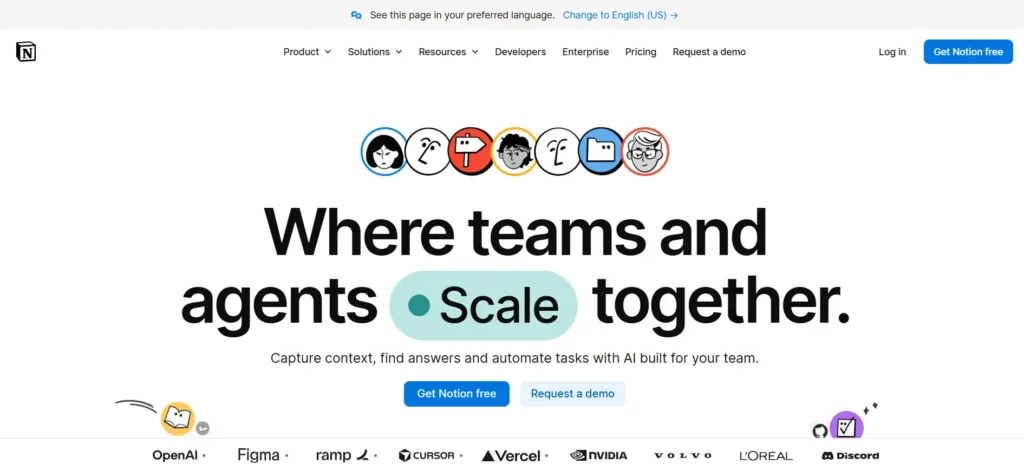
Notion AI isn’t really a note-taking app with AI added, it’s a full workspace (docs, wikis, databases, project trackers) with AI threaded through all of it. That context is its biggest strength: because Notion AI can see across pages, databases, and linked content, it can summarize a whole project, draft from existing docs, or answer questions using information scattered across dozens of pages rather than one note in isolation.
2026 brought two genuinely useful additions: Custom Agents (scheduled, autonomous AI tasks introduced in February) and Workers (JavaScript/TypeScript-based automation added in April), both of which push Notion further from “notes app” into “AI-run workspace.” For teams already managing projects in Notion, this turns the AI layer into something closer to an operations assistant than a writing helper.
The catches: capture friction is real. Jotting a quick thought means picking a database, a template, and fields before you even start typing, powerful for production work, annoying for a fleeting idea at 11pm. Pricing also shifted meaningfully this year: Notion folded AI into the Business tier, so the standalone $8-10/month AI add-on is gone for new signups. Getting AI now means paying for Business at roughly $20/user/month annually (or about $24 monthly) unless you were grandfathered in on the old add-on.
Verdict: The clear choice if you’re a team already running projects through Notion’s databases and wikis. Individuals who just want a fast place to dump and retrieve thoughts will find the structure gets in the way more than it helps.
Mem AI, Rating: 8/10
Best for: individuals who want zero-maintenance organization
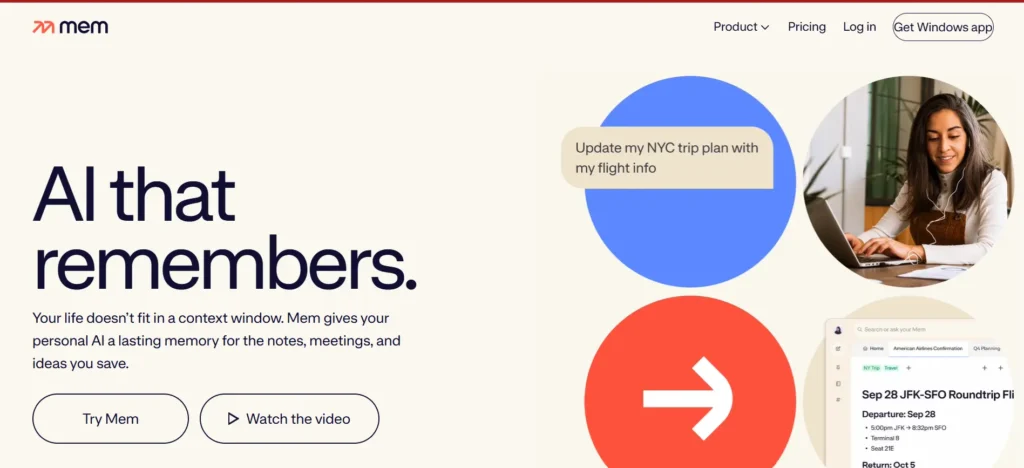
Mem’s whole pitch is the opposite of Notion’s: no folders, no databases, no nested pages to set up before you can write. You capture a thought, and Mem’s AI automatically connects it to related notes and surfaces it later through natural-language search, effectively acting as a second brain that organizes itself instead of asking you to.
Mem 2.0, which rolled out in late 2025, sharpened this further with a genuinely fast free tier (25 notes and 25 AI chat messages per month) that’s enough to actually test the auto-organization before paying anything. Mem Pro runs around $10-12/month, and a Mem Teams tier at roughly $15/user/month exists, though it’s clearly the less-developed side of the product.
The catches: the editor itself is basic. No tables, no databases, no complex structured content — if your notes need more than text and links, you’ll hit the ceiling fast. Team features feel like an afterthought next to Notion’s built-for-collaboration design, and Mem’s user community and third-party integration ecosystem are noticeably smaller than Notion’s, which matters if you rely on plugins or integrations to glue your tools together.
Verdict: The better pick for solo knowledge workers, researchers, and anyone who wants to capture messy, unstructured thoughts fast and trust the AI to make sense of them later. Less convincing the moment collaboration or structured content enters the picture.
Notion AI vs Mem AI: Who Actually Wins?
The honest answer is that this isn’t really a rivalry, it’s two different bets on what “organizing your thoughts” should feel like.
- Choose Notion AI if: you’re on a team, you already store project docs and wikis somewhere, and you want AI that understands the full context of your workspace rather than one note at a time.
- Choose Mem AI if: you’re a solo user who wants the fastest possible path from “thought in your head” to “searchable note,” and you don’t need tables, databases, or heavy collaboration.
- Use both if: you’re a knowledge worker who captures fast in one place and produces structured deliverables in another, plenty of people run Mem for daily capture and Notion for the polished output.
Frequently Asked Questions
Is Notion AI worth it now that it’s bundled into Business?
If you’re already paying for Notion as a team workspace, yes, the AI layer adds real value on top of docs you’re already managing. If you were only ever using the standalone $8-10/month AI add-on as an individual, the jump to Business pricing is a much harder sell.
Does Mem AI support databases or tables like Notion?
No. Mem intentionally skips structured content in favor of a flat, AI-organized note feed. If your workflow depends on databases, spreadsheets-in-notes, or complex views, Notion is the better fit.
Can I try either one for free?
Yes. Notion has a permanent free plan (without the AI add-on), and Mem’s free tier includes a capped number of notes and AI chat messages per month, enough to test the core auto-organization feature before committing.
Which one is better for meeting notes?
Mem’s natural-language recall is strong for quickly finding what was discussed without manual tagging. Notion AI is stronger if your meeting notes need to link directly into project databases, tasks, or wikis your team already uses.
Are there other AI note-taking apps worth considering?
Reflect (privacy-focused, end-to-end encrypted daily notes) and Tana (structured knowledge-graph note-taking) are both worth a look if neither Notion AI nor Mem quite fits, especially if privacy or deep structure matters more than either tool’s core strength.
Final Take
Notion AI and Mem AI aren’t really fighting for the same user. Notion AI is the stronger pick the moment your notes need to live inside a bigger system, projects, wikis, team collaboration. Mem AI wins when the job is simply getting a thought captured and findable again with the least possible friction. Most people don’t need to choose a permanent winner; they need to be honest about which kind of thinking they do more of, day to day.
Looking for more AI productivity tool breakdowns? Check out our AI tools review hub for the latest comparisons, or see our best AI writing tools roundup if content creation is the bigger priority than note organization.