

Disclosure: AI Tested Guide may earn a commission from some links on this page, at no extra cost to you. Clipping Factory is made by Clipping Joint, which is owned by AI Tested Guide’s founder.
How to grow a GTA 6 clip page: the quick answer
To grow a GTA 6 clip page from zero, pick one specific angle, post 2 to 5 clips a day during launch season, study which clips work, and double down on them. GTA 6 launches on November 19, 2026, and launch season is the rare window when a brand-new page can grow fast, because demand for clips is huge and nobody has an established audience yet.
This guide gives you a 30-day plan, the setup that makes a page look credible, the numbers to watch and the mistakes that stall most new pages.
Why a GTA 6 clip page can grow fast
- Short-form feeds show your clips to non-followers. A good clip can reach thousands of people on a brand-new account.
- Fresh topic, less competition. In launch week, everyone starts from zero.
- Endless material. An open world produces new funny, surprising moments every session.
- AI makes the volume possible. Clipping, captions and scheduling no longer need a team.
Step 1: Choose your angle
Pages that grow fastest are specific. Pick one:
| Angle | Example name | Why it works |
|---|---|---|
| Funny NPC moments | Leonida Locals | Highly shareable, works for non-players too |
| Police chases and crashes | Five Star Chaos | Constant action, easy to clip |
| Hidden details | Vice City Details | Saves and follows from curious players |
| Cars | GTA 6 Garage | Clear series potential, like ratings |
| Tips and money | Vice City Hustle | Searchable, earns loyal followers |
You can broaden later. Early on, a clear angle helps platforms understand who to show your clips to.
Step 2: Set up your page properly
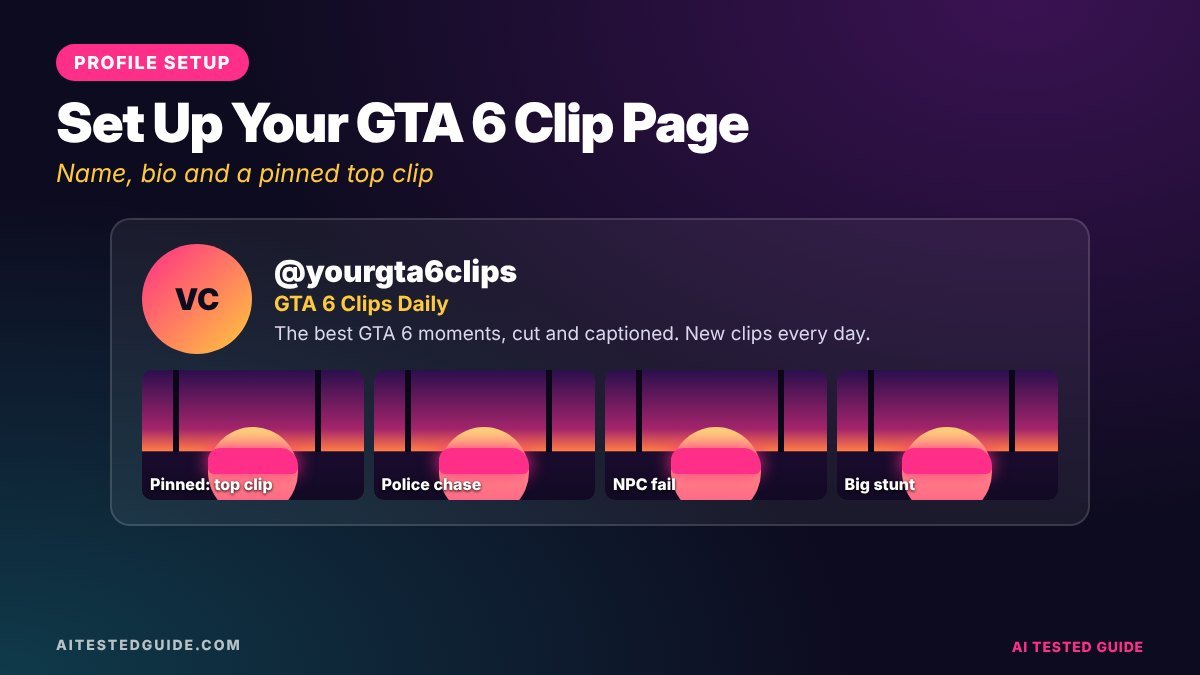
- Name: clear and memorable, not “gaming_page_2026”. Avoid names that suggest you’re official.
- Profile picture: an original logo, not Rockstar’s artwork.
- Bio: exactly what you post and how often, plus “fan page, not affiliated with Rockstar”.
- Same name across platforms, so people can find you everywhere.
- Pin your best clip once you have one.
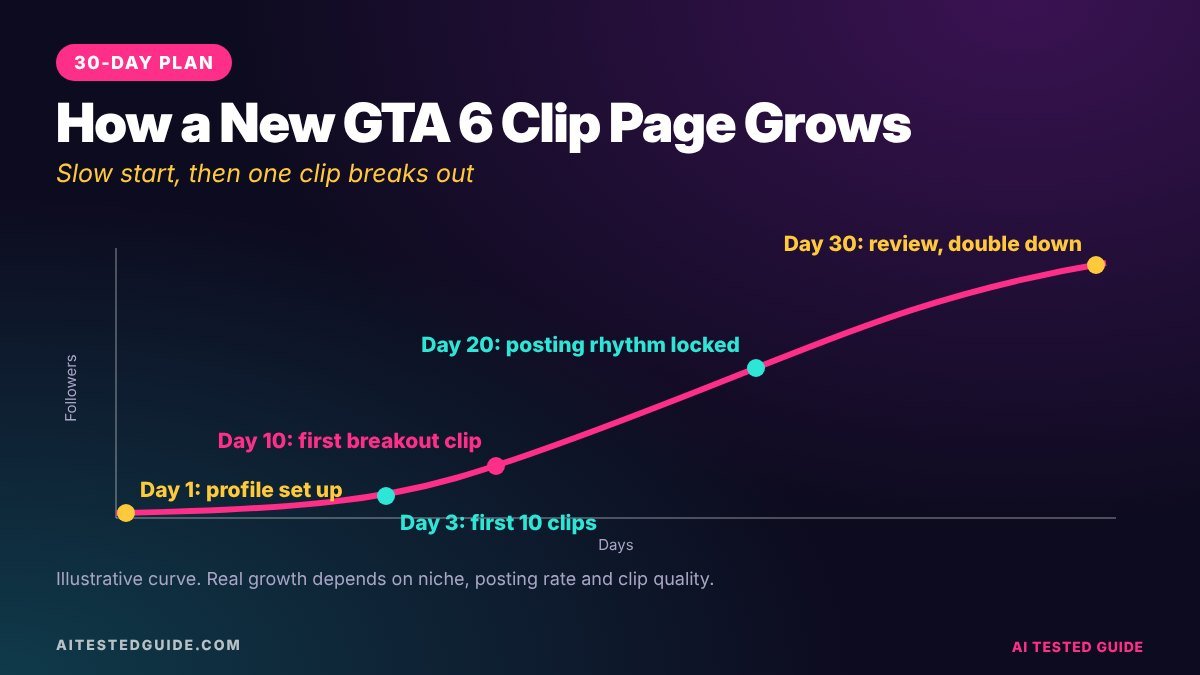
Step 3: Your 30-day plan
| Days | Focus | Goal |
|---|---|---|
| 1 to 7 | Post 3 to 5 clips a day. Test different hooks and clip types | Find out what your audience responds to |
| 8 to 14 | Check analytics. Double down on your top 3 clip types | Fewer misses, more consistent views |
| 15 to 21 | Start series (“Day 1 of…”), reply to comments with clips | Turn viewers into followers |
| 22 to 30 | Cross-post winners everywhere, collaborate with similar pages | Grow beyond one platform |
Step 4: The daily routine
- Record a session with commentary and the in-game radio off.
- Auto-clip it, and keep only the clips you’d send to a friend. See How to Auto-Clip GTA 6 Highlights with AI.
- Add hooks and captions in CapCut.
- Schedule clips across the day. See How to Auto-Post GTA 6 Clips to TikTok, YouTube and Facebook.
- Reply to comments in the first hour after each post.
Step 5: Read your numbers
| Metric | What it tells you |
|---|---|
| Watch time and completion | Whether the clip holds attention, the strongest signal |
| Rewatches | Whether the ending pays off or loops |
| Shares | Whether it spreads beyond your followers |
| Followers per clip | Which content actually builds the page |
| Comments | What your audience wants more of |
Growth tactics that work
- Reply to comments with a new clip. When someone asks “can you do X?”, film it and reply with the video.
- Run series. Numbered series give people a reason to follow.
- Post your winners on every platform. A clip that works on TikTok often works on Shorts and Reels too.
- Collaborate. Swap shout-outs or duets with pages in a similar niche.
- Feature followers. Ask for clips, credit them, and post the best ones.
Growth mistakes
- Reposting other creators’ clips without credit or permission. It’s unfair, breaks platform rules and blocks monetisation.
- Posting the identical file everywhere with another app’s watermark. Upload clean files.
- Giving up after a week. Most pages need several weeks to find a format that hits.
- Posting spoilers without warning. It drives away the players you most want to keep.
- Chasing every trend. Stick to your angle unless a trend genuinely fits.
Hooks that build a clip page
Hooks decide whether a clip gets watched. Rotate between these types and track which your audience prefers:
- Curiosity: “Rockstar really added THIS?”
- Challenge: “Day 3 of escaping 5 stars with no car”
- Relatable: “Every GTA player has done this”
- Warning: “Don’t do this in your first hour”
- Payoff tease: “Wait for the helicopter”
Ask a chatbot for 20 variations of whichever type performs best, so your hooks stay fresh without losing what works.
After 30 days: what comes next
By the end of the first month you should know your best clip types, posting times and platforms. Use month two to:
- Tighten your angle around what clearly worked.
- Start one long-form format, like a weekly “best of” compilation on YouTube.
- Check monetisation eligibility on each platform, including the YouTube Partner Program, and whether programmes are available in your country.
- Build a media kit with your audience numbers, so you’re ready when sponsors reach out.
- Plan for the PC release, which will bring a second wave of new players and searches.
If you take sponsorships, disclose them clearly. The FTC’s influencer guide covers the basics.
Week one, day by day
| Day | What to post | What to learn |
|---|---|---|
| Launch day | 3 first-hour clips with different hooks | Which hook style gets the most watch time |
| Day 2 | 4 clips: 2 chaos, 1 detail, 1 relatable | Which clip type your audience prefers |
| Day 3 | 4 clips of your best type from day 2 | Whether the winner was a fluke |
| Day 4 | Start a numbered series | Whether series viewers follow |
| Day 5 | Reply to the 3 best comments with new clips | Whether comment replies bring followers |
| Day 6 | Cross-post your 3 best clips to a second platform | Where your content travels best |
| Day 7 | Review the week’s numbers | What to double down on in week two |
Cross-posting guide
| Platform | What to change |
|---|---|
| TikTok | Short, punchy caption; consider a trending sound under your game audio, not instead of it |
| YouTube Shorts | A specific, searchable title with “GTA 6” near the start |
| Instagram Reels | Clean cover frame; captions a little more polished |
| Facebook Reels | Longer caption that asks a question to spark comments |
Always upload a clean file without another app’s watermark. Platforms tend to push original-looking uploads.
What to do when a clip takes off
Sooner or later, one clip will do far better than the rest. Use the moment:
- Pin it to your profile so new visitors see your best work first.
- Reply to comments fast, ideally with follow-up clips.
- Post a part two or a similar clip within 24 hours, while the algorithm is paying attention.
- Cross-post it to every platform you use.
- Study why it worked and turn it into a repeatable format.
Don’t change your whole page to chase one viral clip. Use it to learn what your audience wants within your angle.
The tools you need
| Job | Tool |
|---|---|
| Recording | Console capture or OBS with a capture card |
| Finding moments | An auto-clipper such as Clipping Factory or Opus Clip |
| Captions and edits | CapCut |
| Hooks and captions | An AI chatbot |
| Scheduling | Platform schedulers or a multi-platform tool |
Turn viewers into a community
Followers are a number. A community is people who come back, comment and share. A few habits build one:
- Name your regulars. Shout out people who comment often, in replies or a weekly post.
- Let followers choose. Poll them on the next challenge, car or location to test.
- Run a weekly feature. “Follower Clip of the Week”, with credit, gives people a reason to send you their best moments.
- Keep inside jokes. A recurring bit, like a cursed car you always crash, makes your page feel like yours.
Why consistency beats perfection
New clip pages often stall because the creator spends hours perfecting a few clips, then burns out. Short-form platforms reward steady output and learn what to do with your clips as you post more of them. Two good clips every day for 30 days will almost always beat ten perfect clips posted in the first week. Use AI to make that consistency easy: let a clipper find the moments, use a saved caption style, and schedule a day’s posts in one sitting.
A 15-minute weekly review with AI
Every Sunday, export your clips’ numbers: views, watch time, shares and followers gained. Paste your top 10 and bottom 10 into a chatbot with this prompt: “Here are my best and worst GTA 6 clips this week with their stats, hooks and lengths. What patterns do you see, and what 3 changes should I make next week?” Pick two of its suggestions, apply them for a week, and check again. Small, steady changes based on your own data are how clip pages keep growing after the launch rush fades.
Keep a simple spreadsheet of every clip you post, with its hook, length, type and results. After a month, that sheet becomes your page’s playbook, and the AI review gets sharper because it has more data to work with.
FAQ
How many followers can a new GTA 6 clip page get in 30 days?
It varies hugely. Consistent daily posting in a launch window gives a new page its best chance, but nobody can guarantee numbers.
Which platform should a GTA 6 clip page start on?
TikTok usually grows new pages fastest. YouTube Shorts is close behind, with the bonus of search.
Can I grow a clip page without showing my face?
Yes. Most GTA clip pages are faceless: gameplay, captions and sometimes an AI voiceover.
Do I need to own GTA 6 to run a clip page?
Your own footage is best. If you clip other streamers, get their permission first.
How do clip pages make money?
Through platform monetisation, sponsorships, affiliate links and selling clipping services. See How to Make Money Clipping GTA 6 Content.
How many clips should I post per day?
2 to 5 during launch season, as long as quality stays high.
Should I post the same clip on all platforms at once?
You can, but many creators post first where the clip fits best, then cross-post the winners. Upload clean files each time.
What if my clips get no views at first?
That’s normal for new pages. Keep posting daily, test different hooks and clip types, and judge results after a couple of weeks, not a couple of days.
Keep reading
This post is part of our GTA 6 creator series. Start with the hub guide, How to Make GTA 6 Content with AI: The Complete Creator Guide, then go deeper:
- How to Turn GTA 6 Gameplay into Viral TikToks and Shorts with AI
- How to Auto-Clip GTA 6 Highlights with AI
- How to Build a GTA 6 Fan Page with AI Tools
- How to Make Money Clipping GTA 6 Content
- How to Auto-Post GTA 6 Clips to TikTok, YouTube and Facebook
- 25 GTA 6 Clip Ideas That Go Viral
Related tested reviews on AI Tested Guide:
- 10 Best AI Tools for Content Creators in 2026
- Riverside Agents Review: Can AI Really Produce Your Podcast?
Sources and official links
- Rockstar Games: Policy on posting copyrighted Rockstar Games material
- CapCut
- Opus Clip
- YouTube Partner Program overview and eligibility
- FTC: Disclosures 101 for social media influencers
Keep your page fed with clips
The hardest part of growing a clip page is volume. Clipping Factory by Clipping Joint turns long GTA 6 sessions into ready-to-post clips automatically. It’s a one-time payment, and we set it up for you.