
Perplexity Comet is a free web browser with an AI assistant built into every tab. It reads the pages you have open, answers questions with sources, summarizes long articles, and can click through websites to finish tasks for you.
It started life in July 2025 locked behind a $200 a month plan. Today it’s free on Mac, Windows, Android and iPhone. With ChatGPT Atlas now shut down, Comet is the best-known standalone AI browser still running.
But free doesn’t mean you should switch. We looked at what Comet does well, where its agent still trips up, what the paid plans add, and the security issues you should know about before you let it near your email or client accounts.
Quick verdict: 4 / 5
- Best for: freelancers, writers and researchers who read and compare a lot of web pages every day.
- Price: free. Perplexity Pro ($20/month) adds better models and more searches. Comet Plus ($5/month) adds premium news content.
- Biggest strength: cited answers and summaries across all your open tabs, with no copy-pasting.
- Biggest weakness: the agent is unreliable on multi-step tasks, and prompt injection is a documented risk.
- Should you switch? Try it as a second browser for research. Keep banking, payroll and client logins in your regular browser.
What Is Perplexity Comet?
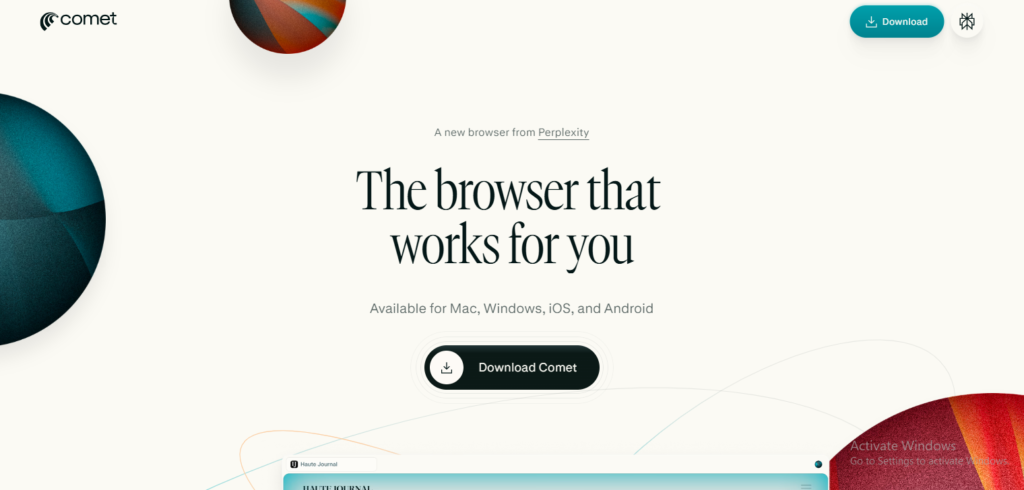
Comet is Perplexity’s own browser. It’s built on Chromium, the same open-source engine behind Google Chrome and Microsoft Edge, so it looks familiar and your Chrome extensions and bookmarks carry over.
The difference is the Comet Assistant, a sidebar that can see your open tabs. Instead of copying text into a separate chatbot, you ask the question right where you are, and Comet answers with cited sources from Perplexity’s search engine.
Platforms: macOS, Windows, Android and iOS. Desktop launched in July 2025, Android followed in November 2025, and the iPhone app arrived in March 2026.
Perplexity Comet pricing (November 2026)
The browser has been free for everyone since October 2025, and Perplexity says it will stay free. You pay only if you want better AI models, higher limits, or premium publisher content.
| Plan | Price | What you get |
|---|---|---|
| Free | $0 | The browser, assistant, page summaries, ad blocking, voice mode, and a limited number of agent tasks |
| Comet Plus | $5/month | Full access to premium publisher content inside answers (Wired, The New Yorker, The Washington Post, Fortune and others) |
| Perplexity Pro | $20/month ($17/month billed yearly) | 300+ Pro searches a day, top models from OpenAI, Google and Anthropic, Research mode, Comet Plus included |
| Perplexity Max | $200/month | Everything in Pro plus background agents and unlimited deep research |
| Enterprise Pro | $40 per seat/month | Admin controls and compliance for teams |
Prices from Perplexity’s Pro page and recent pricing coverage. Check before you buy, as Perplexity changes plans often.
For most freelancers, the free tier is enough to decide whether Comet fits. If you already pay for Perplexity Pro, you get Comet Plus at no extra cost. Our Perplexity Pro review covers whether the $20 plan is worth it on search quality alone.
Comet’s Key Features (and How Freelancers Can Use Them)
1. Cited answers from the address bar
Type a question into the address bar and you get a Perplexity answer with sources instead of ten blue links. For quick research it’s faster than Google. For simple lookups like a website address, it can feel slower, so you can switch the default search engine back to Google in settings.
Freelancer use: “What do US freelance copywriters charge per word in 2026?” gives you a sourced answer you can check before quoting a client.
2. Chat with your open tabs
Open two competitor pricing pages, then ask the assistant to compare them. Use @tab to point it at specific tabs. Cybernews found the @tab tagging a bit inconsistent, but when it works it saves real time.
Freelancer use: compare three web hosts, three invoicing apps, or three client proposals side by side.
3. One-click page summaries
The summary button gives you the key points of any article or long page. You can then ask follow-up questions or pull out quotes. Reviewers consistently rate this as one of Comet’s best features.
Freelancer use: skim a 40-page client brief or a long industry report in two minutes, then ask for the action items.
4. The agent (Comet Assistant in action)
Give it a goal and it navigates, clicks and fills in forms while you watch the pages it’s working on, highlighted in blue. In Tom’s Guide’s test it found a restaurant, checked availability and booked a table after asking for confirmation. It also drafted an email directly in Gmail, leaving only the send button for the user.
For anything involving payment, Comet stops at checkout and asks you to confirm. That’s a good safety rail.
Freelancer use: fill in repetitive web forms, collect contact details from a list of directory pages, or build a shortlist of tools that match a budget.
5. Built-in ad and tracker blocking
Comet blocks ads and trackers using open-source filter lists. Turn it on in settings. It isn’t as strong as a dedicated blocker, but it noticeably cleans up most sites.
6. Voice mode and shortcuts
You can talk to the assistant (“summarize this page”) and use slash shortcuts like /tldr in the sidebar. Handy when you’re reviewing pages on a second screen.
7. Easy switch from Chrome
Setup imports your bookmarks, history and extensions from Chrome in a few clicks. Extensions install straight from the Chrome Web Store.
If you’re deciding which research tool to build your workflow around, our list of the best AI research tools compares Comet’s parent, Perplexity, with the alternatives.
What Works and What Doesn’t
Pros
- Free on all four major platforms, which no other agent browser can claim right now.
- Research is genuinely faster. Cross-tab answers and summaries cut the copy-paste busywork. One long-term tester estimated about 15 minutes saved per research session.
- Feels like Chrome. Same engine, same extensions, simple import.
- Answers come with sources, so you can check facts before they go into client work.
- Asks before it pays. The agent stops at checkout instead of buying things on its own.
Cons
- The agent is hit and miss. Practical tasks like lists, bookings and form filling work well. Longer multi-step jobs sometimes click the wrong thing, loop, or confidently do the wrong task. Plan to watch it.
- Memory is weak. Cybernews closed the browser, came back, and asked Comet to repeat a recent action. It couldn’t find it until given more detail.
- Heavy with lots of tabs. Reviewers found it slower than Chrome and hungrier for memory at around 30+ open tabs.
- Generic writing. Tom’s Guide found its creative and personal answers (a workout plan, an email) functional but bland.
- Best models cost money. The top AI models sit behind the $20 Pro plan.
Is Perplexity Comet Safe?
It’s fine for everyday browsing, but treat the assistant like a helpful intern who believes everything it reads. An AI that can see all your tabs and act for you is a big target, and researchers have already shown real attacks.
- Hidden instructions on web pages (prompt injection). In August 2025, Brave’s security team showed attackers could hide commands in a page, such as white text or HTML comments. When you asked Comet to summarize the page, it could follow those hidden commands.
- “CometJacking.” Security firm LayerX showed a single crafted link could trick the assistant into reading connected email and calendar data and sending it to an attacker.
- Hidden text in images. Brave later showed similar attacks hidden inside screenshots, affecting Comet and other AI browsers.
Perplexity has shipped fixes, but this is a problem for every AI browser, not just Comet.
There’s also a legal question. Amazon sued Perplexity in November 2025 over Comet’s shopping agent. A judge blocked the agent from logged-in Amazon areas in March 2026, then the Ninth Circuit paused that order during the appeal. As of late October 2026, no final ruling had been made.
Our safety checklist for freelancers:
- Don’t connect Comet to the email or calendar you use for client work unless you need to.
- Keep banking, payment processors and payroll in a separate, non-AI browser.
- Don’t ask the agent to act on pages you don’t trust.
- Review every form before you let it submit.
- Never paste client passwords, contracts or personal data into the assistant.
Our guide to using AI responsibly goes deeper on what’s safe to share, and how not to waste your AI agent credits helps you get more from Comet’s limited free agent tasks.
Comet vs Chrome with Gemini vs the ChatGPT Extension
You don’t need a new browser to get AI help any more. Google built Gemini into Chrome, and OpenAI replaced its Atlas browser with a ChatGPT extension. Here’s how Comet stacks up.
| Perplexity Comet | Chrome with Gemini | ChatGPT browser extension | |
|---|---|---|---|
| What it is | A separate AI browser | AI built into Chrome | Add-on for Chrome, Edge, Brave, Opera, Vivaldi |
| Price to start | Free | Free | Free |
| Agent that browses for you | Yes, limited free tasks | Auto browse needs Google AI Pro ($19.99/month) | Via the ChatGPT desktop app on Plus ($20/month) |
| Sees all your open tabs | Yes | Limited | Current page, plus tabs you mention |
| Cited sources by default | Yes | Sometimes | Sometimes |
| Platforms | Mac, Windows, Android, iOS | Desktop and Android | Desktop browsers |
| Best for | Research and comparing pages | People who won’t leave Chrome | People who already pay for ChatGPT |
Our pick:
- Pick Comet if most of your day is research, comparisons and reading, and you want a capable agent without paying.
- Stay in Chrome with Gemini if you live in Google Workspace and don’t want to move your tabs, passwords and logins. Our Is Gemini Pro worth it? post covers the paid plan that unlocks auto browse.
- Add the ChatGPT extension if you already pay for ChatGPT. Our ChatGPT Plus review explains what the $20 plan includes.
Comparing assistants rather than browsers? See our best ChatGPT alternatives.
Who Should Switch to Comet?
Good fit:
- Freelance writers, SEO specialists and marketers who research and compare sources every day
- Consultants and virtual assistants who fill in a lot of repetitive web forms
- Students and researchers who want sourced answers, not just summaries
- Anyone on Windows or Android who wanted an AI browser and was locked out of Atlas
Not a good fit:
- People who handle sensitive client, health, legal or financial data in the browser
- Heavy tab users (30+) who care about speed and memory
- Anyone who wants a hands-off shopping or booking agent they can trust completely
How to Set Up Comet the Smart Way
- Download Comet from perplexity.ai/comet and sign in with a Perplexity account.
- Import bookmarks, history and extensions from Chrome during setup.
- Turn on the ad and tracker blocker in settings.
- Decide your default search engine. Keep Perplexity for research, or switch to Google if you mostly do quick lookups.
- Leave email and calendar disconnected until you know you need them.
- Pin the summary button and learn @tab. Those two save the most time.
- Keep your regular browser for banking and client logins.
FAQ
Is Perplexity Comet free?
Yes. The browser and assistant have been free for everyone since October 2025. Paid plans (Comet Plus at $5/month, Pro at $20/month, Max at $200/month) add premium content, better models and higher limits.
Is Comet available on Windows and iPhone?
Yes. Comet runs on macOS, Windows, Android and iOS.
Is Perplexity Comet safe?
It’s safe for everyday browsing. Its AI assistant has had documented prompt-injection flaws, now patched, so keep sensitive work in a separate browser and don’t let the agent act on untrusted pages.
Can I use Chrome extensions in Comet?
Yes. It’s built on Chromium, so most Chrome Web Store extensions install directly.
What is Comet Plus?
A $5/month add-on that unlocks premium publisher content inside Comet’s answers. It’s included free with Perplexity Pro and Max.
Can Comet buy things for me?
It can find products, fill a cart and get you to checkout, but it asks you to confirm before paying.
Is Comet better than Chrome?
For research, yes. For raw speed with many tabs, stability and sensitive work, Chrome is still the safer default.
What happened to ChatGPT Atlas?
OpenAI shut it down on August 9, 2026 and moved its features into the ChatGPT desktop app and a browser extension. That leaves Comet as the main standalone AI browser.
Final Verdict: 4 / 5
Comet is the best free AI browser you can install today, and for research-heavy work it earns its place on your screen. The cited answers, tab comparisons and summaries are the real reasons to use it. The agent is a useful bonus that still needs supervision.
Our advice for freelancers and small business owners: install it free as your research browser, give it a week on real client work, and keep your money and client logins somewhere else. If it saves you time every day, consider Perplexity Pro for the better models.
Want more tools like this? Browse our best AI productivity tools or see the agents we rate in our top 10 AI agents in 2026.