

Hermes Agent is an open-source AI agent from Nous Research. Unlike a normal chatbot, it can run commands, use tools, remember things across sessions, and even message you on Telegram or Discord. This guide gets you from zero to a working setup without the confusion.
Quick summary:
- Install with the desktop app (Windows/macOS) or one command (Linux/macOS/WSL2).
- Pick a model provider. The easiest path is Nous Portal, but you can use your own API keys.
- Get one normal chat working before adding anything else.
- Expect the basic setup to take roughly five minutes.
What you need before you start
- A computer running Windows, macOS, Linux or WSL2. Android is supported through a separate Termux guide.
- An account or API key for at least one AI model provider.
- A model with at least a 64K-token context window. Hosted models like Claude, GPT, Gemini, Qwen and DeepSeek meet this easily. If you run a local model, set its context to 64K or higher.
Hermes itself is open source under the MIT license. What you pay for is the model usage, either through a Nous Portal subscription or whichever provider you connect.
Step 1: Install Hermes Agent
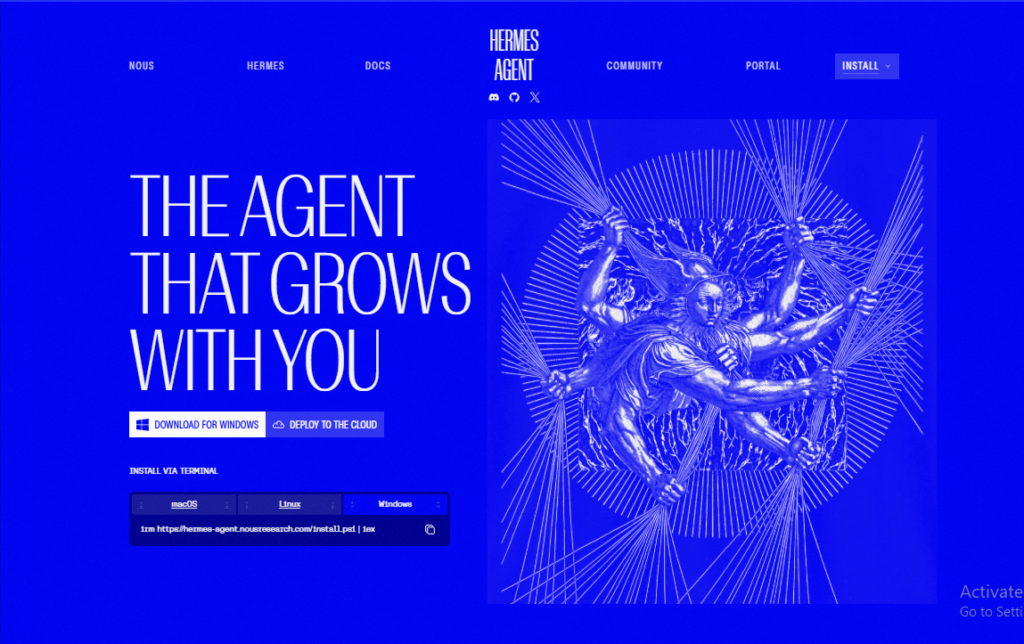
Windows or macOS (easiest): download the Hermes Desktop installer from the official site and run it. It installs both the desktop app and the command-line tool.
Linux, macOS or WSL2 (command line only):
bash
curl -fsSL https://hermes-agent.nousresearch.com/install.sh | bashWindows native (PowerShell):
powershell
iex (irm https://hermes-agent.nousresearch.com/install.ps1)After installing, reload your shell so the hermes command is available:
bash
source ~/.bashrc # or source ~/.zshrcSafety tip: piping a script straight into your shell is convenient but trusts the source. If you prefer, open the install script URL in your browser and read it first.
Step 2: Choose your model provider
This is the most important step. Run:
bash
hermes modelEasiest option: Nous Portal. One subscription gives you access to 300+ models plus built-in tools like web search, image generation, text-to-speech and a cloud browser. To set it up in one command:
bash
hermes setup --portalBring your own keys. Hermes supports many providers, including Anthropic, OpenAI, OpenRouter, Google Gemini, DeepSeek and more. You can also connect a ChatGPT/Codex subscription, or run local models through Ollama or LM Studio with a custom endpoint.
If you run hermes setup on a fresh install, you’ll see three modes:
| Mode | Best for |
|---|---|
| Quick Setup (Nous Portal) | Beginners who want the fastest path |
| Full Setup | People bringing their own keys who want to configure every option |
| Blank Slate | Advanced users who want a minimal agent with everything off until enabled |
As a beginner, choose Quick Setup or Full Setup and accept the defaults. You can switch providers at any time by running hermes model again, so there’s no lock-in.
Where settings live: secrets like API keys go in ~/.hermes/.env, and normal settings go in ~/.hermes/config.yaml. The safest way to edit them is the CLI, for example hermes config set model <model-name>, which writes each value to the right file.
Step 3: Run your first chat
Start Hermes:
bash
hermesFor the newer interface with mouse selection and non-blocking input, use:
bash
hermes --tuiYou’ll see a welcome banner showing your model, tools and skills. Start with a simple, easy-to-verify prompt:
text
Check my current directory and tell me what looks like the main project file.Success looks like this: the banner shows your model, Hermes replies without errors, it can use a tool like the terminal or file reader, and the conversation continues normally for more than one turn.
Step 4: Check that sessions save
Resume your last conversation to confirm everything is being stored:
bash
hermes --continueIf it can’t find your session, you may be in a different profile, or the session never saved. Run hermes sessions list to check.
Step 5: Learn the basics
- Type
/to see the command menu. /helplists all commands,/toolsshows available tools, and/modelswitches models.- Press
Alt+EnterorCtrl+Jfor a new line without sending. - To interrupt a slow task, type a new message or press
Ctrl+C.
Step 6: Add extras (only after chat works)
Connect a messaging app. Run hermes gateway setup to connect Telegram, Discord, Slack, WhatsApp, Signal, email and more. This lets you message your agent from your phone.
Add skills. Skills are reusable instruction documents that teach Hermes specific tasks. Browse them with hermes skills browse, search with hermes skills search <keyword>, and install with hermes skills install <source/path>. Installs run a security scan first.
Connect MCP servers. You can extend Hermes with tools like GitHub by adding an MCP server entry to ~/.hermes/config.yaml.
Turn on voice mode. Configure voice providers through hermes tools, then use /voice on and press Ctrl+B to record.
Keep it safe: use a sandbox
Hermes can run terminal commands on your behalf, so consider isolating it. Run the agent in Docker:
bash
hermes config set terminal.backend dockerOr point it at a remote server with terminal.backend ssh. For Docker users, there’s also an optional egress proxy so the sandbox never sees your real API keys.
Common problems and fixes
| Problem | Likely cause | Fix |
|---|---|---|
| Empty or broken replies | Wrong provider, model or authentication | Run hermes model again and confirm all three |
| Custom endpoint returns garbage | Wrong base URL or model name | Test the endpoint in another client first |
| Messaging bot won’t respond | Incomplete bot token or allowlist | Re-run hermes gateway setup, then hermes gateway status |
| Can’t resume a session | Different profile, or never saved | Run hermes sessions list |
| Odd model fallback behavior | Routing too aggressive | Turn routing off until the base chat is stable |
Your recovery order: hermes doctor, then hermes model, then hermes setup, then hermes sessions list, then hermes --continue, then hermes gateway status.
FAQ
Is Hermes Agent free?
The software is open source under the MIT license. You pay for the AI model usage through a provider or Nous Portal subscription.
Do I need to know how to code?
Not for basic use. Installing it and chatting requires only a terminal and a few commands.
Can I use Claude or ChatGPT with it?
Yes. You can connect Anthropic models with an API key, or through OAuth if you have a Max plan with extra usage credits. You can also connect a ChatGPT or Codex subscription.
Can I run it with local models?
Yes, through a custom endpoint such as Ollama or LM Studio, as long as the model has at least a 64K context window.
How do I update it?
Run hermes update.
What should I read next?
The official docs cover configuration, the messaging gateway, tools, memory and skills in depth. Hermes Agent Review