
Gamma AI rating: 4.6/5
Gamma is one of the fastest ways to turn an idea, document, prompt, or webpage into a polished presentation. It can also create documents, websites, social posts, and visual content from the same source material.
But speed is only part of the question.
The more important question is whether Gamma creates presentations that are good enough to share with a client, investor, manager, student, or customer without hours of manual editing.
After evaluating Gamma’s presentation generation, AI Agent, design quality, document imports, editing experience, credits, collaboration, and PowerPoint exports, our conclusion is clear:
Gamma is one of the best AI tools for creating attractive first drafts and web-based presentations quickly. However, it is not a complete replacement for PowerPoint when you need pixel-level control, advanced animation, or perfectly editable PPTX files.
Gamma is worth trying if you regularly create pitch decks, proposals, reports, training material, marketing presentations, or visual documents.
Gamma AI at a glance
| Category | Rating |
|---|---|
| AI presentation generation | 4.8/5 |
| Design quality | 4.7/5 |
| AI Agent | 4.8/5 |
| Ease of use | 4.6/5 |
| Content generation | 4.5/5 |
| Document transformation | 4.6/5 |
| Customization | 4.3/5 |
| PowerPoint export | 4.2/5 |
| Collaboration | 4.3/5 |
| Value for money | 4.5/5 |
| Overall | 4.6/5 |
Best for: Fast presentations, pitch decks, proposals, reports, internal updates, educational content, and web-first presentations.
Free plan: Yes, with 400 initial AI credits according to the information reviewed for this article. Because plans and credit limits can change, verify current details on Gamma’s official pricing page before subscribing.
Final verdict: Gamma is one of the strongest AI presentation tools for going from raw information to a usable, visually polished draft.
What is Gamma AI?
Gamma is an AI-powered visual content platform that creates presentations, documents, webpages, social content, and images.
Instead of using only traditional fixed slides, Gamma organizes content into flexible “cards.” These cards can behave like presentation slides, document sections, or webpage sections. They can expand to fit content, include embedded media, and be shared through a browser link.
This makes Gamma different from PowerPoint and Google Slides.
PowerPoint is primarily a slide editor that gives users precise control over every object. Gamma is closer to an AI-powered visual publishing system that handles much of the structure, layout, and formatting automatically.
That difference explains both Gamma’s biggest advantage and its biggest limitation:
- Gamma is faster because it makes more design decisions for you.
- Gamma is less flexible because you do not control every design decision manually.
How we tested Gamma
A meaningful Gamma review should evaluate more than how quickly it generates a deck.
We evaluated Gamma across the complete workflow:
- Starting with a topic prompt.
- Creating a deck from an existing document.
- Importing a presentation and webpage.
- Reviewing the generated outline.
- Testing different audiences, tones, and slide lengths.
- Asking the AI Agent to revise existing content.
- Changing themes and visual direction.
- Creating charts, diagrams, and images.
- Sharing a deck through a browser link.
- Exporting the result to PDF, PNG, and PowerPoint.
- Estimating the amount of manual cleanup required.
We judged each workflow according to five practical criteria:
- Time to usable draft: How quickly can a user produce something worth editing?
- Design quality: Does the deck look coherent and professional?
- Content quality: Does the structure tell a logical story?
- Editability: Can users make meaningful changes without fighting the system?
- Delivery quality: Does the final shared or exported version match the editor?
This approach matters because a presentation that takes 60 seconds to generate but requires another hour of repair is not truly a 60-second presentation.
Gamma’s AI presentation generator
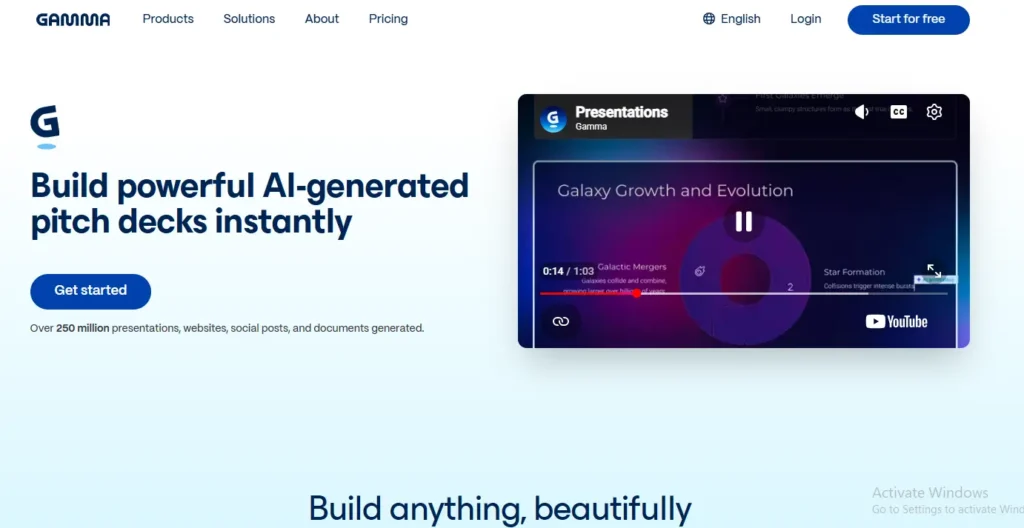
Gamma’s presentation generator is still its most important feature.
You can begin with a topic, an outline, pasted text, a document, a presentation, a PDF, or a webpage. Gamma then creates a structure, writes or reorganizes content, selects layouts, and adds visual elements.
The main strength is that Gamma considers content and design together. It does not simply place ten blocks of text on ten different backgrounds.
A typical generated deck may include:
- Title and section cards.
- Text-and-image layouts.
- Comparison sections.
- Timelines.
- Process diagrams.
- Charts.
- Feature grids.
- Quotes and callouts.
- Embedded videos or webpages.
- Summary and next-step cards.
The initial result is rarely perfect, but it is often good enough to become a useful working draft.
That is where Gamma creates the most value. Instead of spending the first hour deciding what each slide should contain, you begin with a visual structure and spend your time improving the message.
The quality of your prompt matters
A vague prompt may produce a generic deck. A strong prompt gives Gamma enough information to make useful decisions.
A weak prompt would be:
Create a presentation about digital marketing.
A stronger prompt would be:
Create a 10-card presentation for the owner of a small retail business. Explain how SEO, email marketing, and paid advertising can increase qualified leads. Use a practical, professional tone. Include the current problem, three strategies, a simple budget example, expected outcomes, implementation timeline, risks, and a final recommendation. Keep each card concise and use charts where numerical information is included.
The second prompt specifies the audience, objective, length, tone, structure, and visual requirements. That usually leads to less editing.
Gamma AI Agent review
The AI Agent is the feature that makes Gamma more than a basic prompt-to-slides generator.
Rather than asking you to edit every card manually, the Agent can help modify existing presentations, documents, and social content through natural-language instructions.
For example, you can ask Gamma to:
- Rewrite a presentation for an executive audience.
- Make the language more concise.
- Translate a deck.
- Add a competitor comparison.
- Create a new section.
- Change the tone from casual to professional.
- Restyle the presentation.
- Summarize a long document.
- Turn notes into a presentation.
- Improve a specific card.
- Create a chart or diagram.
- Work with uploaded files, URLs, screenshots, and other source material.
This is a major advantage over using a general-purpose chatbot alone.
A chatbot can help write the content. Gamma can place that content into a visual structure and continue editing the presentation itself.
Where the Agent needs supervision
The Agent is helpful, but it is not a substitute for review.
Broad instructions can sometimes create broader changes than intended. For example, asking the Agent to “make the deck more professional” may alter wording, layouts, images, and colors across multiple cards.
AI-generated content can also contain:
- Weak or repetitive wording.
- Unsupported claims.
- Incorrect summaries.
- Overly broad conclusions.
- Inconsistent terminology.
- Visuals that do not match the argument.
Use the Agent as a production assistant, not as a final editor. Review every important claim and check the complete deck after major AI changes.
Our rating: 4.8/5.
Design quality: Gamma’s biggest strength
Gamma usually produces better-looking first drafts than traditional presentation software used without a design system.
It automatically combines:
- Typography.
- Color palettes.
- Spacing.
- Content hierarchy.
- Images.
- Layout variations.
- Visual emphasis.
- Section transitions.
The result often looks more like a modern web presentation than a conventional PowerPoint deck.
This is especially useful for people who are not designers. You do not need to understand grids, typography, spacing systems, or composition rules before creating a presentable deck.
However, Gamma’s visual style can become recognizable after repeated use. The same card-based structures, spacing patterns, and visual blocks may appear across different projects.
That is acceptable for internal updates and early drafts. It can be less desirable for a high-stakes investor pitch, agency presentation, or client deck that needs a distinctive visual identity.
Our rating: 4.7/5.
Creating presentations from documents
One of Gamma’s most useful workflows is converting existing material into a visual presentation.
You can begin with:
- A Word document.
- A PDF.
- A PowerPoint presentation.
- Notes or meeting transcripts.
- A webpage.
- A Google document.
- A business plan.
- Research material.
- A proposal.
- A report.
- A collection of pasted text.
This solves a common problem: the content already exists, but it is not ready to present.
For example, a 15-page report may contain useful information, but presenting it as 15 pages of text would be ineffective. Gamma can reorganize the material into an executive summary, key findings, charts, implications, and recommended actions.
The output still needs human review. Gamma may over-compress important details, misunderstand the source, or create a visually attractive but strategically weak structure.
The best workflow is:
- Import the source material.
- Review Gamma’s outline.
- Correct missing or incorrect information.
- Set the audience and objective.
- Generate the presentation.
- Remove unnecessary cards.
- Rewrite the most important claims.
- Check the final export.
Gamma for documents and websites
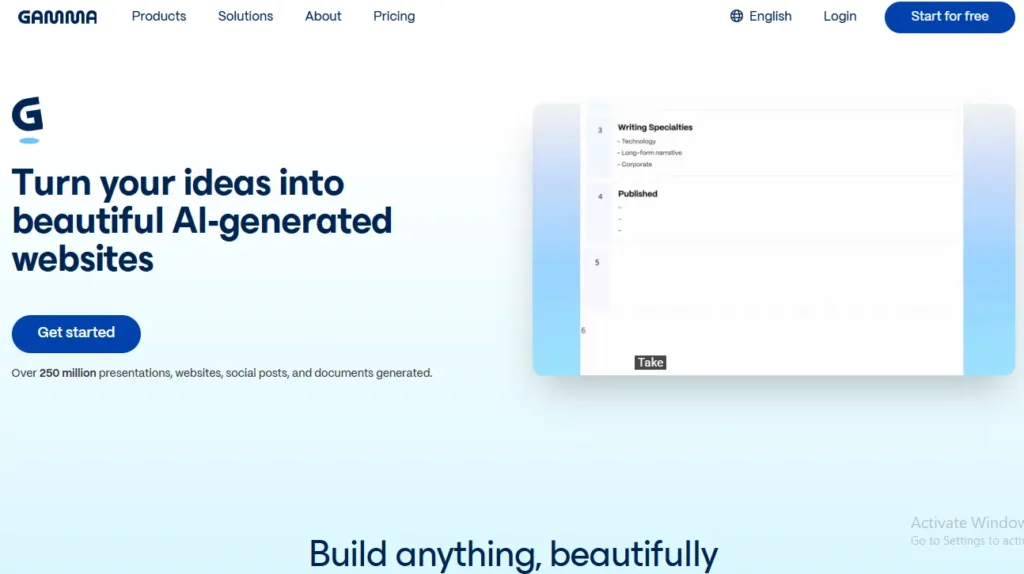
Gamma is not limited to presentations.
The same content system can create:
- Proposals.
- Reports.
- Briefs.
- Guides.
- Internal documentation.
- Landing pages.
- Portfolios.
- Event pages.
- Simple business websites.
- Social media content.
This is useful for small businesses and marketing teams because multiple types of content can share a similar visual style.
A proposal, presentation, and landing page can feel like parts of the same campaign instead of separate assets created in unrelated tools.
Gamma is less suitable for:
- Complex websites.
- Advanced SEO projects.
- Large content architectures.
- Ecommerce systems.
- Custom databases.
- Highly interactive web applications.
- Websites requiring extensive integrations.
For those projects, tools such as WordPress, Webflow, or a custom development workflow provide more control.
Gamma AI image generation
Gamma supports AI-generated images and visual elements, giving users an alternative to searching through stock-image libraries.
This is useful when you need:
- A conceptual illustration.
- A background image.
- A visual metaphor.
- An abstract business image.
- A campaign concept.
- A simple presentation graphic.
AI images are not automatically the best choice. A real product photograph, customer image, research chart, or custom diagram may communicate more effectively.
The strongest presentations usually combine different visual types instead of placing an AI-generated image on every card.
Gamma exports: PDF, PNG, and PowerPoint
Gamma supports presentation exports, including PDF, PNG, and PowerPoint formats. It also allows users to share content through a browser link.
The important distinction is between sharing a Gamma presentation online and exporting it for editing in PowerPoint.
Browser sharing is where Gamma is strongest. The presentation remains in the environment for which it was designed, and users can view it through a link.
PowerPoint export requires more caution because Gamma’s flexible card system does not always map perfectly to PowerPoint’s fixed slide structure.
Possible export issues include:
- Font substitution.
- Changed spacing.
- Shifted text.
- Different image positioning.
- Altered card dimensions.
- Broken charts or tables.
- Flattened design elements.
- Differences in backgrounds or gradients.
- Lost animations or interactive elements.
The severity depends on the design and the destination format. PDF exports are generally more appropriate when visual appearance matters more than editability.
Export checklist
Before sending an exported Gamma deck to a client:
- Open the PPTX file in PowerPoint.
- Check the slide dimensions.
- Review every title and text box.
- Inspect charts and tables.
- Confirm that fonts have not changed.
- Check image cropping.
- Review speaker notes if they are important.
- Test the deck on the device used for presenting.
- Export a PDF and compare it with the original.
- Repair any high-impact slides manually.
If the final deliverable must be a fully editable PowerPoint file, test Gamma with a real project before committing to it.
Gamma versus PowerPoint, Canva, and ChatGPT
| Tool | Best for | Main advantage | Main limitation |
|---|---|---|---|
| Gamma | Fast AI-generated visual content | Strong first drafts and web sharing | Less granular control and imperfect PPTX conversion |
| PowerPoint | Formal presentations and precise editing | Maximum object-level control | Manual design and formatting take longer |
| Canva | Broad visual design work | Templates, media, brand tools, and many formats | Less presentation-specific AI structure |
| ChatGPT | Research, writing, and brainstorming | Strong content development and restructuring | Does not natively deliver the same visual editing workflow |
| Beautiful.ai | Automated slide layouts | Consistent template-based design | Can feel restrictive for custom presentations |
| Google Slides with AI tools | Workspace collaboration | Native team editing and sharing | AI presentation generation may be less complete |
Gamma versus PowerPoint
Choose Gamma when speed and first-draft quality matter most.
Choose PowerPoint when you need:
- Pixel-level positioning.
- Complex animations.
- Detailed speaker notes.
- Native Office workflows.
- Advanced data visualization.
- Full editing control.
- Reliable compatibility with corporate templates.
Gamma versus Canva
Gamma and Canva overlap, but they’re built around different philosophies.
Canva is fundamentally a broad visual design platform. Gamma is much more focused on using AI to turn information into structured visual content.
If you want to design Instagram posts, posters, thumbnails, documents, presentations, videos, and many other creative assets manually, Canva’s ecosystem is difficult to beat.
If your priority is:
“I have an idea. Turn it into a presentation for me.”
Gamma has the more AI-first workflow.
For presentations specifically, Gamma’s ability to generate the structure, content, layouts, and visual treatment together gives it a significant advantage when speed is the priority.
For broader graphic design, Canva remains the more versatile choice.
Winner for AI-first presentations: Gamma
Winner for general graphic design: Canva
You can also read our Canva AI review if you’re deciding between the two.
Gamma versus ChatGPT
ChatGPT and Gamma can work together extremely well, but they’re not identical products.
ChatGPT is excellent for brainstorming, research, writing, rewriting, analysis, and developing the actual substance of a presentation.
Gamma is designed to take that substance and turn it into a visual experience.
A practical workflow might therefore be:
Research and develop the content → refine the messaging → put the structured content into Gamma → let Gamma handle presentation design and layout.
If you’re interested in using AI for content development before designing your slides, see our ChatGPT review and AI productivity tools guide.
Gamma AI pricing and credits
Gamma offers a free plan, but the free credits are not an unlimited monthly allowance.
The free plan is best treated as a way to test the platform with real work. It may be enough for a few projects, but regular users will eventually need a paid plan or additional credits.
AI credits may be consumed by actions such as:
- Generating a presentation.
- Adding a card with AI.
- Rewriting content.
- Expanding text.
- Generating images.
- Asking the AI Agent to make changes.
- Using advanced models.
The exact cost can depend on the action, model, content length, and complexity. Do not assume that every generation consumes the same number of credits.
Before subscribing, check:
- Whether credits refresh monthly.
- Whether unused credits roll over.
- Which features are available on each plan.
- Whether exports include branding.
- Whether collaboration is included.
- Whether analytics and custom domains require a higher plan.
- Whether advanced models consume more credits.
- Whether the plan is billed monthly or annually.
Is Gamma’s free plan useful?
Yes, for testing.
It is useful for creating a genuine presentation you already need, such as:
- A sales proposal.
- A lesson plan.
- A project update.
- A short business pitch.
- A marketing report.
- A personal portfolio.
It is not ideal for someone who needs to generate presentations every week without paying.
Who should use Gamma?
Gamma is a strong fit for:
- Founders creating pitch decks.
- Marketers preparing campaign presentations.
- Consultants transforming research into client material.
- Salespeople creating proposals.
- Teachers preparing lessons.
- Students building visual assignments.
- Small businesses producing documents and webpages.
- Teams sharing presentations asynchronously.
- Non-designers who want a polished starting point.
Gamma is particularly valuable when the information already exists but the visual communication does not.
Who should avoid Gamma?
Gamma may not be the best choice if you need:
- Fully editable PowerPoint files with minimal cleanup.
- Strict enterprise brand governance.
- Advanced slide animations.
- Offline editing.
- Pixel-perfect positioning.
- Highly original visual design.
- Complex presentation templates.
- Large-scale production across many departments.
- A traditional slide-by-slide workflow.
For those requirements, PowerPoint, Google Slides, Canva, Beautiful.ai, or an enterprise-focused presentation platform may be a better fit.
Gamma AI pros and cons
What we like
- Very fast presentation generation.
- Strong default design quality.
- Useful document-to-presentation workflow.
- Natural-language AI editing.
- Flexible web-based sharing.
- Presentations, documents, webpages, and social content in one platform.
- Useful free plan for evaluation.
- Good fit for non-designers.
- Multiple content and media options.
What we do not like
- Less control than PowerPoint.
- Some decks can look visually repetitive.
- AI-generated content requires fact-checking.
- PowerPoint exports should be inspected carefully.
- Credit usage can be difficult to predict.
- Long or dense content may become visually crowded.
- Web-first designs may not translate perfectly to fixed slides.
- Advanced enterprise workflows may require additional tools.
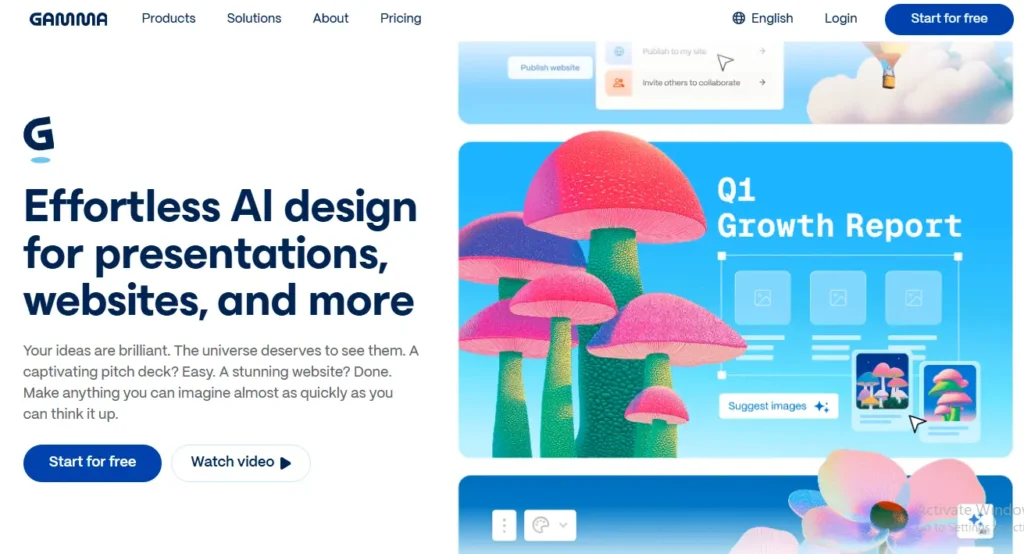
Is Gamma worth paying for?
For regular presentation creators, Gamma can be worth paying for.
The value does not come only from generating a deck quickly. It comes from reducing the amount of work required to structure information, choose layouts, format content, and create a coherent first version.
Gamma is probably worth paying for if:
- You create presentations every month.
- You dislike manual formatting.
- You mostly share presentations online.
- You want to transform reports and notes into visual content.
- You need documents and webpages as well as slides.
- The free plan’s credits are no longer enough.
You may not need a paid plan if:
- You create only one or two presentations per year.
- You need fully editable PowerPoint output.
- You already have a strong presentation template.
- You prefer designing every element manually.
- Your work requires strict enterprise brand control.
The best test is to use Gamma on a real project rather than a generic prompt. Create something you would normally spend two hours building manually. Then compare the time required to reach a final, shareable version.
Final verdict
Gamma is not magic, and it does not replace presentation judgment.
You still need to decide:
- What the audience should understand.
- Which information is reliable.
- What belongs on each card.
- Whether the narrative is persuasive.
- Whether the design matches the audience.
- Whether the exported file is technically correct.
What Gamma does extremely well is remove much of the tedious work between a blank page and a usable visual draft.
It is one of the best AI presentation tools for speed, design automation, document transformation, and browser-based sharing. It is less convincing when the final deliverable must be a highly customized, perfectly editable PowerPoint file.
Our final rating: 4.6/5.
Recommended for: Founders, marketers, consultants, sales teams, educators, students, and small businesses.
Not recommended as the only tool for: Enterprise presentation teams, professional slide designers, and users who require absolute PowerPoint control.
Frequently asked questions
Is Gamma AI free?
Yes. Gamma provides a free plan with initial AI credits. The credits are limited and may not refresh automatically, so check the current pricing page before relying on the free plan for ongoing work.
Does Gamma require a credit card?
Gamma has offered a free starting option without requiring a credit card. Verify the current signup terms before publishing this claim permanently.
Can Gamma create PowerPoint presentations?
Yes. Gamma supports PowerPoint export, as well as other sharing and export formats. Always inspect the exported PPTX file because web-based layouts may change during conversion.
Can Gamma import PowerPoint files?
Yes. Gamma can import existing presentations and other source material, after which users can restyle or transform the content.
Does Gamma have an AI Agent?
Yes. Gamma’s AI Agent can help create and modify presentations, documents, and other visual content using natural-language instructions.
Is Gamma better than PowerPoint?
Gamma is better for quickly generating a polished first draft. PowerPoint is better for precise manual control, advanced animations, and fully editable corporate presentations.
Is Gamma better than Canva?
Gamma is more presentation-focused and better suited to turning information into a structured visual deck. Canva is more versatile for templates, social graphics, video, brand assets, and general design work.
Can Gamma replace ChatGPT?
No. Gamma and ChatGPT have different strengths. ChatGPT is stronger for research, brainstorming, writing, and reasoning, while Gamma is stronger for turning information into a visual presentation.
Does Gamma remove its branding?
Brand-removal options depend on the plan. Check the current Gamma pricing page before making a purchase or publishing a specific plan comparison.
Are Gamma presentations editable after export?
Gamma presentations can be edited inside Gamma. PowerPoint exports may be editable, but some layouts or visual elements may not behave like native PowerPoint objects.
Is Gamma worth paying for?
Gamma is worth considering if you create presentations regularly and value speed. Occasional users should start with the free plan and upgrade only after testing it with a real presentation.