Quick verdict
Score: 7.4/10. Canva Craft is the best image generator I’ve used for designs that need readable text. Every word I asked for came out spelled correctly across all 20 images, including prices, an address and a website URL.
- Best for: product ads, Instagram posts and menus, where you need text and layout done in one go
- Weakest at: logos, which came out generic and as flat images rather than editable vector files
- Watch out for: extra text and claims Craft adds on its own, like offers and stats you never asked for
What is Canva Craft?
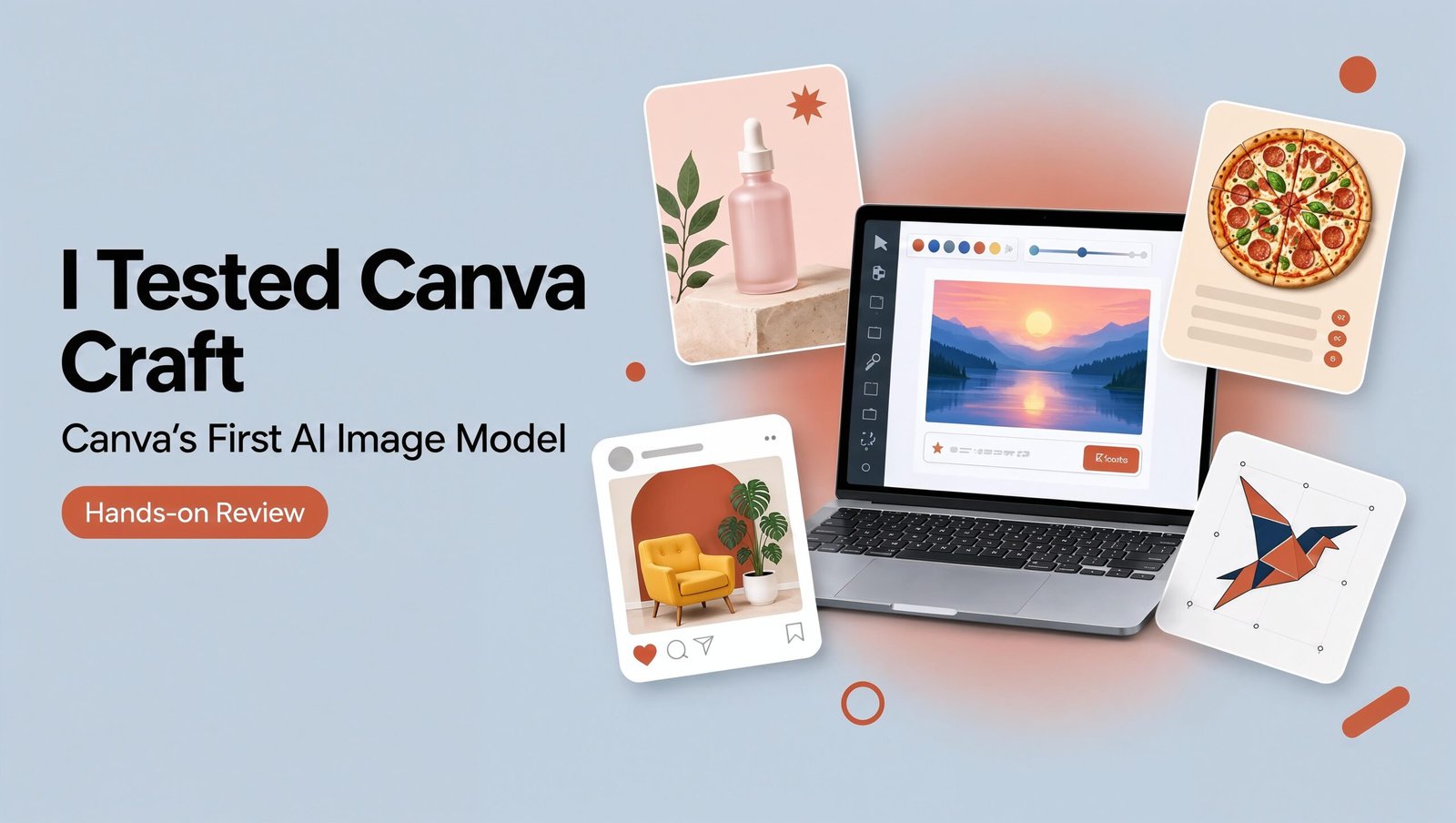
Canva Craft is an AI image model built and trained from scratch by Canva Research, Canva’s in-house AI lab. It launched on October 22, 2026, and is available to all Canva users in Dream Lab (TechCrunch). Before Craft, Dream Lab ran on Phoenix, a model from Leonardo.ai, which Canva bought in 2024.
What makes it different from Midjourney or ChatGPT images is how it was trained. Canva says Craft learned from human-designed templates, and it plans the layout first, then draws the image (ProPakistani). That’s why it handles headlines, prices and buttons better than most image models.
| Feature | Canva Craft |
|---|---|
| Made by | Canva Research |
| Launched | October 22, 2026 |
| Max resolution | 2K |
| Aspect ratios | 30+, or a custom size |
| Text in images | 55 languages (Canva’s claim) |
| Where to use it | Dream Lab, Canva public API |
| Coming soon | Craft-fast and Craft-ultrafast, plus ChatGPT and Gemini through Canva’s MCP connector |
Canva says Craft debuted at number 4 on DesignArena, a crowdsourced ranking of AI design models, which puts Canva second only to OpenAI as an image lab (eesel.ai).
How to use Canva Craft
- Go to canva.com/dream-lab, or click Dream Lab in the bottom left panel of Canva.
- Type what you want in the prompt box, including any exact text you want on the image in quotes.
- Under the box, pick a Style (I used Smart, Minimalist and Creative), an aspect ratio, and check that the model says Canva Craft-1 2K.
- Hit generate. You get four versions per prompt.
- Click Edit on the one you like to open it in the Canva editor.
How I tested Canva Craft
I picked five jobs that freelancers and small businesses pay designers for, and wrote each prompt with exact text in quotes so I could check spelling. I scored each set of four images on text accuracy, layout and one simple question: would a client accept this without changes?
| Test | Style | Text spelled right | Score |
|---|---|---|---|
| Skincare product ad | Smart | 4 of 4 | 9.5/10 |
| Instagram post for a web designer | Creative | 4 of 4 | 8.5/10 |
| Restaurant menu | Minimalist | 4 of 4 | 8/10 |
| Bakery grand opening flyer | Smart | 4 of 4 | 6/10 |
| Coffee shop logo | Minimalist | 4 of 4 | 5/10 |
| Average | 20 of 20 | 7.4/10 |
Canva Craft test results
Test 1: Skincare product ad (9.5/10)
Prompt: An ad for a skincare product. A white serum bottle labelled “GLOW” on a marble surface with soft morning light. Text at the top: “Your skin, but better.” Text at the bottom: “Shop now at glowskin.com”
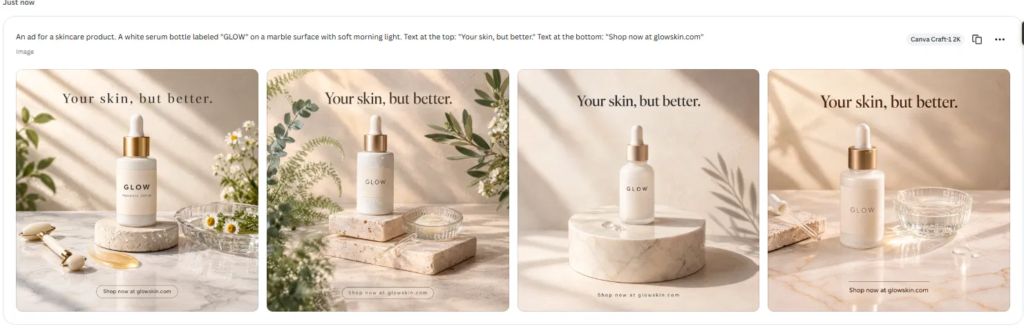
This was the best result of the whole test. All four versions got the headline, the “GLOW” label and the URL exactly right. The lighting, shadows and marble look like a real product photoshoot, with plants, a glass dish and a stone stand added as props.
One version even added “Radiance Serum” under the brand name on the bottle, which made it look more like a real product. If you sell your own skincare or run ads for a client, this is close to ready to post. The one catch: the bottle is AI-made, so for a real brand you’d still need your actual product in the shot.
Test 2: Instagram post for a freelance web designer (8.5/10)
Prompt: An Instagram post for a freelance web designer. Headline: “Need a website that actually gets clients?” Below it, three short points: “Fast”, “Mobile friendly”, “Built for small businesses”. Clean modern style, navy and white, with a laptop mockup.
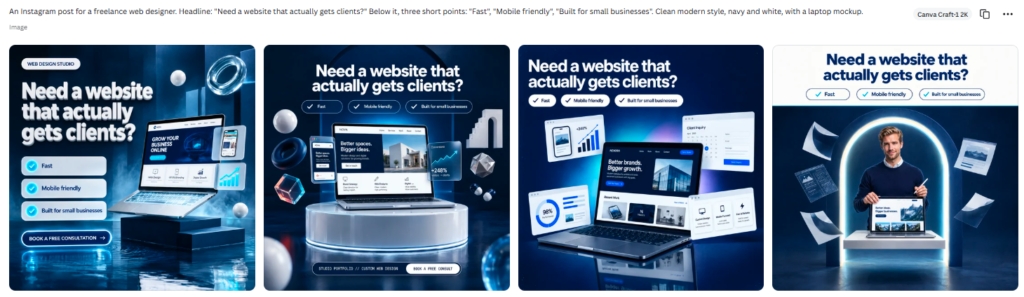
Craft nailed the headline and all three points in every version, laid out as tick marks and pill buttons like a real agency post. The navy and white style felt modern, with 3D shapes and glowing light that suit a tech audience.
It lost points for adding things I didn’t ask for. Versions included a “Book a free consultation” button, made-up website names on the laptop screens and stats like “+248%” and “98%”. Those numbers look great but aren’t real, so you’d need to remove or replace them before posting. One version also added a person holding a laptop, which looked natural.
Test 3: Restaurant menu (8/10)
Prompt: A restaurant menu titled “Luigi’s Pizzeria” with six pizzas, each with a name, a one-line description and a price: Margherita $12, Pepperoni $14, Four Cheese $15, Veggie Supreme $13, BBQ Chicken $16, Hawaiian $14. Small print at the bottom: “Prices include tax. Ask about gluten-free options.”
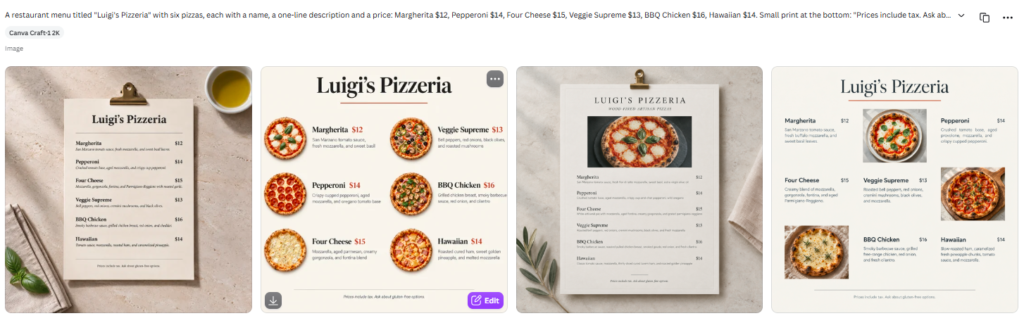
This was the test I expected Craft to fail. Canva itself admits fine print is a weak spot. Instead, all six pizza names and prices were correct in every version, and the small print at the bottom was there too.
I didn’t give it descriptions, so Craft wrote its own, and they were sensible (“San Marzano tomato sauce, fresh mozzarella” for the Margherita). Two versions showed the menu as a photo on a clipboard, and two as a flat design with pizza photos. In the clipboard versions the descriptions are tiny, so zoom in and check them before printing.
Test 4: Bakery grand opening flyer (6/10)
Prompt: A flyer for “Sarah’s Bakery Grand Opening” on Saturday, November 15. Large headline at the top, a photo of fresh croissants in the middle, and at the bottom: “20% off all pastries” and “142 Maple Street, Austin”. Warm, cosy colours.
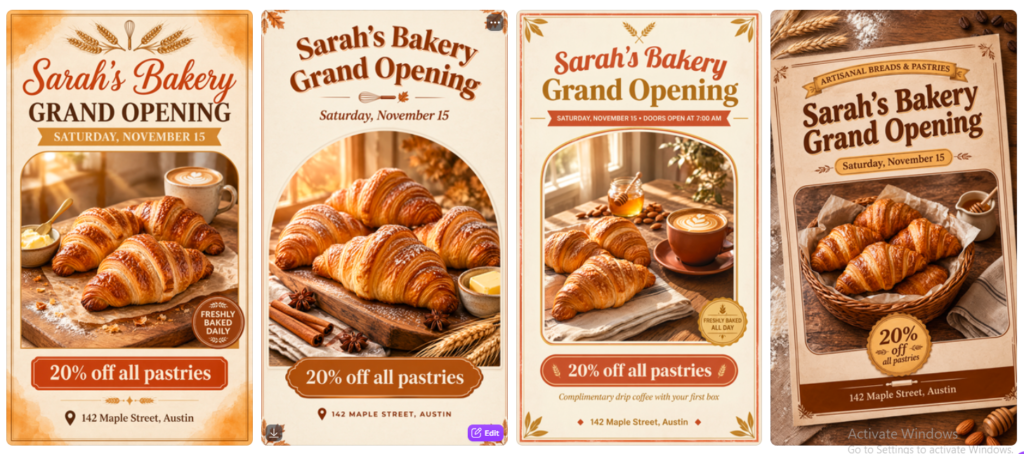
The text was perfect: the apostrophe, the date, the discount and the address were right in all four. The croissant photos looked good enough to eat.
So why only 6? The flyers looked like every other bakery template online, with the same wheat icons, badges and orange tones in all four versions. Craft also added its own details: “Doors open at 7:00 AM”, “Freshly baked daily” and “Complimentary drip coffee with your first box”. A free coffee offer the bakery never agreed to is a real problem if you print this for a client. Good, but not impressive.
Test 5: Coffee shop logo (5/10)
Prompt: A minimalist logo for a coffee shop called “Northside Roasters”. A simple coffee bean icon above the name. Black and cream colours, flat design, on a plain background.
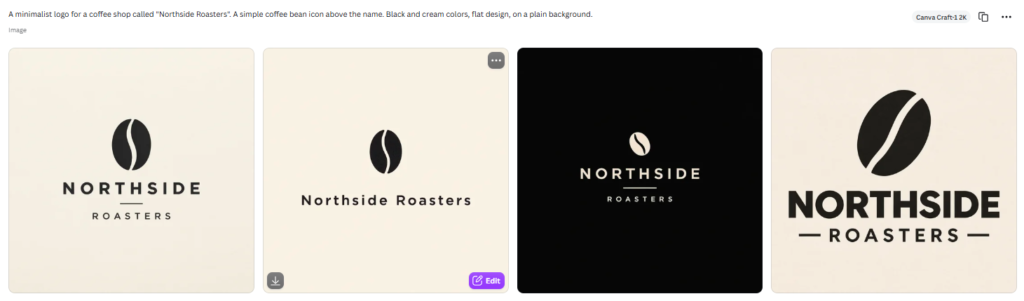
Craft followed the brief exactly: a coffee bean above the name, black and cream, spelled correctly. The problem is that’s all it did. All four logos use the same basic bean icon and a clean sans serif font, and none of them has anything that would make Northside Roasters stand out from other coffee shops.
The other issue is format. These are flat images, not vector files, so you can’t scale them for a sign or a shop window without redrawing them. For a quick placeholder it works. For a real brand, you’ll want a designer or a tool built for logos.
What Canva Craft does well
- Text is finally reliable. 20 out of 20 images had every requested word spelled right, including apostrophes, prices, dates, an address and a URL. Most AI image tools still mess up at least one of those.
- It thinks like a designer. Headlines sit at the top, buttons at the bottom, and there’s room to breathe. You get a finished layout, not just a picture.
- Product photos look real. The skincare ad could pass for a paid photoshoot.
- It lives inside Canva. Click Edit and you’re in the normal Canva editor, ready to resize, add your logo or export.
Where Canva Craft falls short
- It adds things you didn’t ask for. Offers, opening hours, buttons and fake stats showed up in three of five tests. Always proofread every word before you publish or send to a client.
- Designs can feel like templates. Makes sense, since it was trained on templates. The flyer and logo results looked familiar rather than original.
- Logos aren’t usable as real logos. You get a flat image, not a vector file.
- Four versions often look alike. In the logo and flyer tests, the four options were close variations of the same idea.
Canva Craft pricing: is it free?
Yes, you can try Canva Craft on a free Canva account. There’s no separate price for Craft. Image generation in Dream Lab counts as a Premium AI use and comes out of your plan’s monthly AI allowance.
| Plan | Price (US) | Premium AI uses per month |
|---|---|---|
| Free | $0 | Up to 20 |
| Pro | $18/month or $180/year | 200 |
| Business | $25/month or $250/year per person | 400 |
Prices from Canva’s US pricing page as reported by Moda; AI allowances from eesel.ai. Canva prices vary by country and change often, so check canva.com/pricing for your region.
For most freelancers, 20 free uses is enough to test Craft on a few real projects. If you make social posts or ads every week, Pro is the realistic choice, and you also get the rest of Canva’s AI.
Who should use Canva Craft?
- Small business owners who need ads, menus and social posts fast and don’t have a designer.
- Freelancers and social media managers making client posts every week. Craft gets you 80% of the way, then you finish in the Canva editor.
- Not for: brand identity work like logos, or anyone who needs original, one of a kind artwork.
Final verdict
Canva Craft is a real step up for Dream Lab, and the text accuracy alone makes it worth trying. It scored 7.4/10 in my tests, with a near perfect product ad and a weak logo. Use it for marketing designs with text, proofread everything it adds, and skip it for logos. For more options, see our AI design tools list and AI tool tier list.
Canva Craft FAQ
Is Canva Craft free?
Yes. Free Canva accounts can use it in Dream Lab, within the monthly limit of up to 20 Premium AI uses.
Where do I find Canva Craft?
Open Dream Lab from the bottom left panel in Canva, or go to canva.com/dream-lab. Check that the model selector says Canva Craft-1 2K.
Can Canva Craft write text correctly?
In my tests, yes. All 20 images spelled every requested word correctly, including prices, an address and a URL.
Is Canva Craft good for logos?
Not really. The logos were clean but generic, and they come out as flat images, not vector files.
Is Canva Craft better than Midjourney or ChatGPT?
For designs with text and layout, Craft is very strong. I haven’t run a head to head test yet, so I’ll update this review when I do.
Can I use Canva Craft images commercially?
Canva hasn’t published usage terms specific to Craft yet, so check Canva’s AI terms before using images in paid client work.
Image alt text
| Image | Alt text |
|---|---|
| Skincare ad | Canva Craft skincare ad test with GLOW serum bottle on marble |
| Instagram post | Canva Craft Instagram post for a freelance web designer |
| Menu | Canva Craft restaurant menu test for Luigi’s Pizzeria |
| Flyer | Canva Craft bakery grand opening flyer test |
| Logo | Canva Craft minimalist coffee shop logo test |
| Dream Lab screen | Canva Dream Lab with Canva Craft-1 2K model selected |